


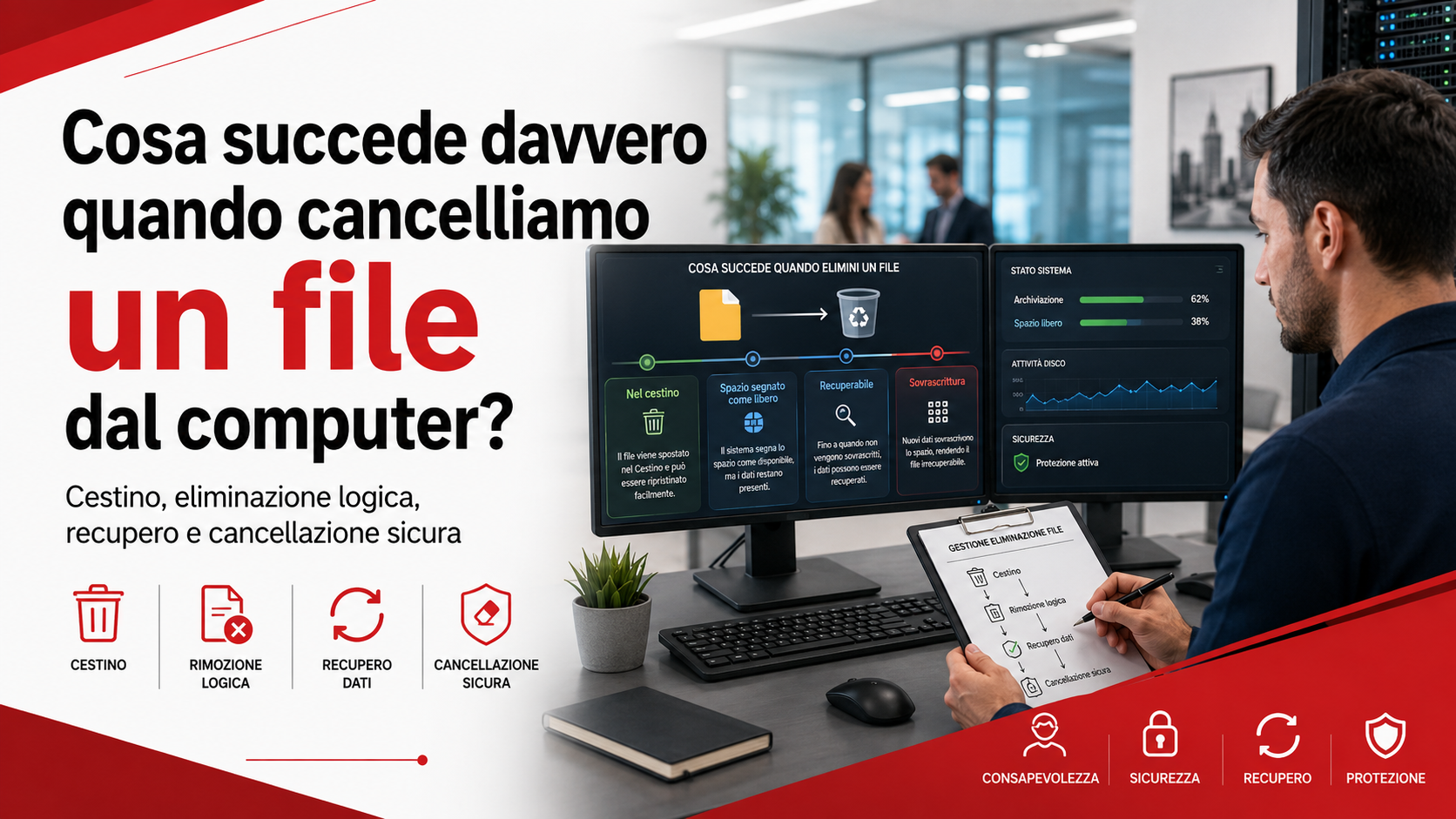
What really happens when we delete a file from a computer? In most cases, the document, photograph, video or folder is not immediately destroyed. The operating system mainly changes the way that information is displayed and managed, while the underlying data may remain on the storage device for a variable amount of time.
Understanding this process is important both when attempting to recover an accidentally deleted file and when protecting confidential information. Pressing “Delete”, emptying the Recycle Bin or formatting a storage device does not necessarily mean that the data has disappeared permanently. The result depends on the type of storage technology, the operating system, the device settings and the actions performed afterwards.
Deleting a file does not always mean destroying it
When a file is saved, the operating system records the information required to locate it, including its name, position, size, modification date and the areas of the storage device where its data is stored. The file system therefore works like an index connecting the folders users see with the information physically stored on the device.
When a file is deleted, the computer often does not immediately erase every part of its content. In many cases, it removes or changes the reference in the file system and marks the previously occupied space as available for reuse. Until that space is used again, some or all of the original content may still exist.
For this reason, a file that appears to have disappeared can sometimes be recovered with specialist tools. Recovery is not always possible, however, and becomes less likely when the computer continues to be used.
What happens when a file is moved to the Recycle Bin
A normal file deletion is generally handled through the Windows Recycle Bin or an equivalent feature on another operating system. At this stage, the file is not treated as permanently deleted. It is moved to a dedicated area from which it can usually be restored.
The system retains information such as the file’s original location and the date on which it was deleted. When the user selects the restore command, the document can be returned to its previous folder, provided that the Recycle Bin has not been emptied and the file has not been removed automatically.
The Recycle Bin therefore provides an initial layer of protection against human error. Not every file passes through it, however. Documents deleted from certain external drives, network locations, applications or devices may be removed without being placed in this recovery area.
What happens when the Recycle Bin is emptied
When the Recycle Bin is emptied, its files are no longer accessible through the operating system’s normal tools. Their entries are removed from the list and the space they occupied becomes available for new data.
This action is often interpreted as permanent deletion, but on traditional hard drives the information may remain physically present until it is overwritten. The computer knows that the space can be reused, but it may not have reused it yet.
Deleting a file with a command such as “Shift + Delete” can also bypass the Recycle Bin without immediately erasing the file’s physical content. The main difference is that the user loses the option of restoring it with a simple command.
The role of data overwriting
The possibility of recovering a file mainly depends on what happens after it has been deleted. When new documents are created, software is installed, updates are downloaded or applications are used, the system may write new information to areas that have been marked as available.
If new data is written to the same locations previously used by the deleted file, the original content is overwritten. Recovery may then become partial, extremely difficult or impossible.
For this reason, when an important document is deleted accidentally, the device should be used as little as possible. Continuing to work, installing recovery software on the same drive or downloading new files may reduce the likelihood of successfully restoring the information.
The difference between HDDs and SSDs
The behaviour of deleted files varies according to the type of storage device. Traditional hard disk drives, known as HDDs, store data magnetically on rotating platters. After deletion, the information may remain present until the corresponding sectors are overwritten.
Solid-state drives use electronic memory and manage data differently. Many modern systems use a function called TRIM, through which the operating system informs the drive that certain areas no longer contain useful data.
The SSD may subsequently erase and reorganise those areas through its internal processes. As a result, recovering a deleted file from an SSD can be much more difficult and less predictable than recovering one from an HDD. There is therefore no single rule that applies to every device.
Files deleted from USB drives and external storage
USB flash drives, memory cards and external disks can also retain traces of deleted files. In many cases, when a document is deleted from removable storage, it is not moved to the computer’s Recycle Bin but is removed directly from the list of available files.
This does not necessarily mean that the data has been immediately destroyed. If the space has not yet been reused, recovery may still be possible. The outcome depends on the device technology, file system and actions performed after deletion.
When a storage device contains important information, it should no longer be used and no additional files should be copied to it until the recovery options have been assessed.
What happens to files stored in the cloud
Cloud services add another layer to file management. When a synchronised file is deleted, that deletion may be automatically replicated across all computers, smartphones and tablets connected to the same account.
Many cloud platforms provide their own deleted-items area, retention period or version history. These features may allow a document to be recovered even after it has been removed from one of the synchronised devices.
The retention period varies according to the service, subscription and administrative settings. It is therefore important to understand the rules of the platform being used and not to regard synchronisation as a complete backup system.
Synchronisation and backup are not the same
A synchronisation system keeps the same files updated across multiple devices. When a document is modified or deleted, the change may be automatically replicated everywhere. This behaviour is useful for working with current information, but it can become a problem when a mistake is made.
A backup keeps a separate copy of the data and should make it possible to retrieve previous versions or deleted documents. An effective data protection strategy should therefore include independent copies that are verified and not directly exposed to the same changes as the original files.
Businesses should regularly confirm that backups are completed successfully and that restoration procedures work. The existence of a synchronised folder alone does not guarantee that a deleted file can be recovered.
Can a deleted file always be recovered?
There is no answer that applies to every situation. A file may be recoverable when its data is still present, the device has not been used intensively and its storage areas have not been overwritten or cleared internally.
The likelihood of recovery decreases when a long time has passed, new content has been saved, the storage device has physical damage or an SSD has already performed its internal memory-cleaning operations.
Recovery tools may find complete files, incomplete documents or data without the original filename. In more complex situations, specialist assistance may be required, particularly when the device makes unusual noises, is not recognised or contains highly important information.
When a file must be securely erased
The possibility of recovering deleted data can be useful after a mistake, but it can also represent a privacy risk. A computer that is sold, transferred, returned or disposed of may still contain business documents, credentials, emails, customer information and confidential data after a normal deletion.
Emptying the Recycle Bin or performing a quick format may not be sufficient to remove information correctly. A procedure suited to the type of device should be used, such as a manufacturer-provided secure erase function, a protected reset, cryptographic erasure or physical destruction when appropriate.
On SSDs, repeatedly overwriting the device with tools designed for older hard drives may be ineffective and may cause unnecessary wear. Device-specific functions or qualified technical support should be used instead.
The importance of device encryption
Encryption protects data by making it unreadable without the correct credentials or encryption keys. When a computer, laptop or external drive is lost, stolen or transferred, encryption can reduce the risk of unauthorised access to the information stored on it.
When configured correctly from the beginning, encryption can also simplify the disposal of a device. Secure removal of the encryption keys can make residual data unusable even when some physical information remains in the storage memory.
Encryption does not replace backups, access controls or secure deletion procedures, but it provides an additional layer of protection for personal and business information.
How businesses should manage file deletion
In a business environment, data deletion should follow clearly defined rules. Employees and contractors should know which files they are allowed to delete, which documents must be retained, where information should be stored and who should be contacted when an error occurs.
It is useful to define procedures for file recovery, Recycle Bin management, version retention, backup verification and device disposal. Removing the account of a former employee should also be coordinated with the recovery and archiving of business documents stored in that person’s folders.
Organised data management reduces the risk of losing important information and prevents confidential data from remaining available on computers, phones, external storage devices or cloud services that are no longer in use.
The role of Azienda Digitale
In this context, Azienda Digitale can support businesses, professionals and organisations with data management, backup systems and secure deletion procedures. Understanding where files are stored and what happens when they are deleted is essential for preventing accidental data loss and protecting confidential information.
Effective management should cover computers, servers, external drives, cloud services, mobile devices and backup copies. Each system may apply different rules and requires controls suited to the technology being used.
Deleting a file does not always mean making it disappear permanently. With appropriate procedures, verified backups, encrypted devices and responsible management of the data lifecycle, businesses can reduce both the risk of loss and the risk of information exposure.
Frequently Asked Questions
Can a file still be recovered after the Recycle Bin has been emptied?
In some cases, yes. On traditional hard drives, the data may remain until its storage space is overwritten. Recovery from an SSD may be more difficult because of its internal memory-management and deletion functions.
Does “Shift + Delete” permanently erase a file?
This command normally bypasses the Recycle Bin, but it does not guarantee that the data is physically erased at the same moment. The content may remain recoverable until its storage area is reused.
Does formatting a drive remove all data?
It depends on the type of formatting, the storage device and the procedure used. A quick format may leave recoverable information, while device-specific secure erase procedures can reduce this possibility more effectively.
Can files deleted from the cloud be recovered?
Many cloud services temporarily retain deleted files or provide version history. Recovery options depend on the platform, subscription and account settings.
What should I do after accidentally deleting an important file?
Stop using the device, avoid installing software on the same drive and first check the Recycle Bin, cloud storage and available backups. Specialist assistance may be appropriate when the information is particularly important.
Would you like to protect your company’s data and reduce the risk of losing important documents?
Azienda Digitale
can help you organise backups, storage, recovery and secure information-deletion procedures.