


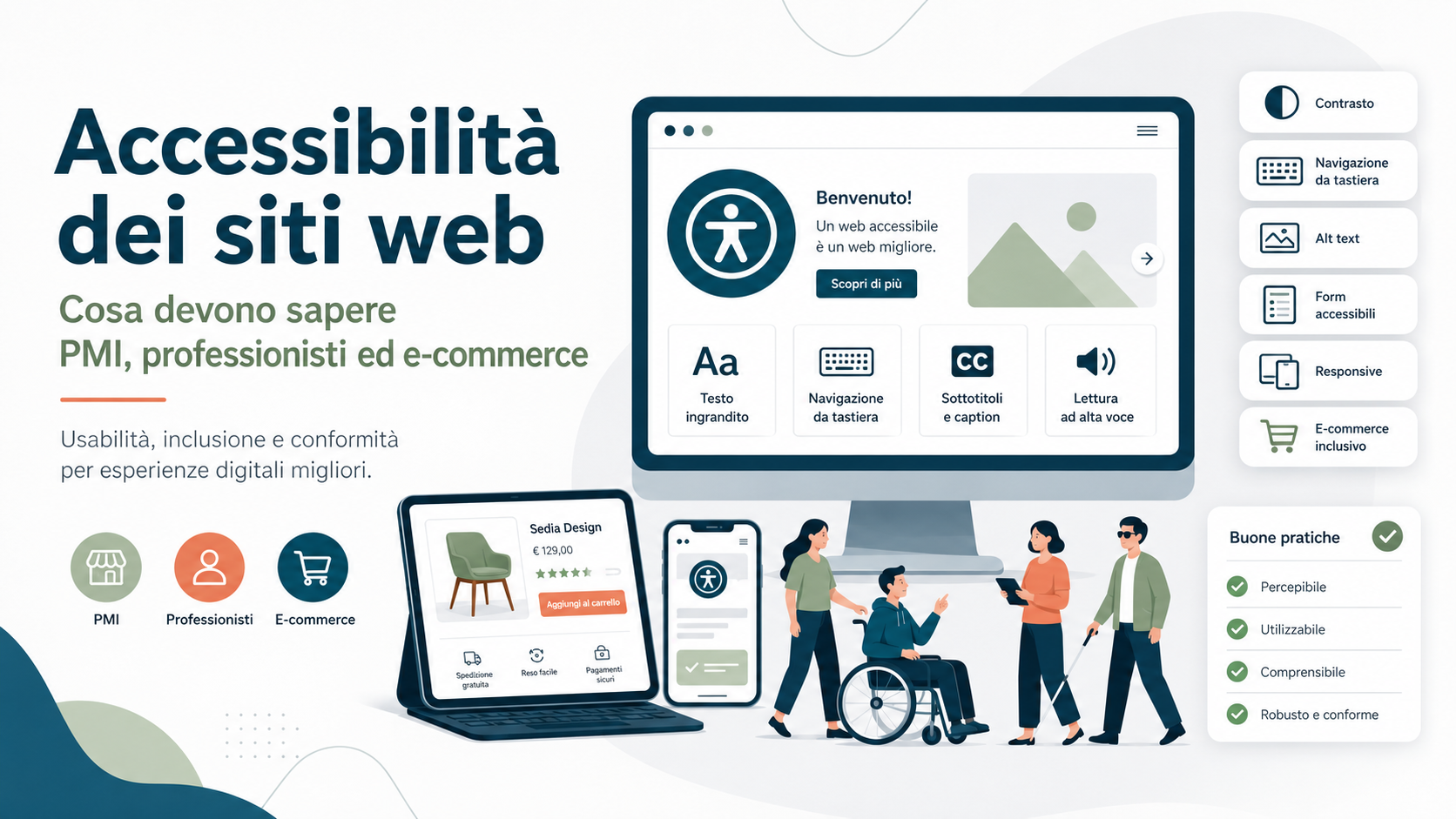
Website accessibility allows people with disabilities to obtain information, complete forms, use services and make purchases without encountering avoidable barriers. It does not concern only people who are blind. It may affect users with visual, hearing, motor or cognitive disabilities, older people, individuals with temporary limitations and anyone using assistive technology.
For SMEs, professionals and e-commerce businesses, accessibility should not be treated as a correction added at the end of a project. Page structure, contrast, content, forms, menus, documents, videos, authentication and payments should be designed so that they can be used with a keyboard, screen reader, magnification and other interaction methods.
Since 28 June 2025, the European legal framework has increased the focus on the accessibility of certain products and services, including e-commerce services provided to consumers. The applicable obligations nevertheless depend on the type of organisation, its size, the service being provided and the relevant national legislation. Making a website accessible remains beneficial even where no specific direct obligation applies.
What digital accessibility means
An accessible website allows people with different requirements to perceive content, operate controls, understand information and interact with available functions. The objective is not to create a separate website, but to make the same service usable by as many people as possible.
Accessibility may support:
- A blind person using a screen reader.
- A person with low vision who enlarges text and interfaces.
- A user who cannot use a mouse and navigates with a keyboard.
- A deaf person who requires captions for video content.
- A user with cognitive difficulties who benefits from clear language and predictable processes.
- A person with a temporary limitation, such as an injured arm.
- A customer using a smartphone in difficult light, noise or connectivity conditions.
Many accessible solutions improve the general user experience. Clear labels, recognisable buttons, understandable errors and organised navigation also help people who do not use assistive technologies.
Who needs to consider accessibility in 2026
The legal framework cannot be summarised by saying that every website must follow exactly the same rules. Different requirements may apply to public bodies, very large private organisations, services covered by the European Accessibility Act and specific regulated industries.
An SME or professional should determine:
- Whether the website provides a service to consumers.
- Whether users can conclude a contract or purchase online.
- Whether the activity falls within the services covered by European legislation.
- Whether the business qualifies as a microenterprise.
- Whether it provides services for a public authority.
- Whether sector-specific or contractual requirements apply.
- Whether the website serves consumers in several EU countries.
A simple corporate website presenting a business is not necessarily an e-commerce service. A catalogue, booking process, registration, payment or online contract may require a more detailed assessment.
The European Accessibility Act and e-commerce
The European Accessibility Act covers e-commerce services provided remotely through websites or mobile services at the individual request of a consumer with a view to concluding a consumer contract.
For an online store, accessibility is not limited to the home page and product descriptions. It should cover the customer’s ability to:
- Search for and compare products or services.
- Understand prices, terms and characteristics.
- Select variants and quantities.
- Add items to the basket.
- Register or purchase as a guest.
- Enter delivery and billing information.
- Select delivery and payment methods.
- Confirm the order.
- Understand whether the transaction succeeded.
- Review orders, returns and after-sales support.
An accessible home page is not sufficient when a customer encounters a barrier during sign-in, checkout or payment. Accessibility must include the functions needed to complete the service.
The microenterprise exemption
The European Accessibility Act provides an exemption for microenterprises supplying services. Broadly, a microenterprise employs fewer than ten people and has annual turnover or an annual balance-sheet total not exceeding two million euros.
This exemption should not be confused with the wider definition of an SME. A business with twenty, fifty or one hundred employees may still be an SME, but it is not a microenterprise. It is therefore incorrect to assume that every small and medium-sized business is exempt.
An exempt microenterprise may still improve its website voluntarily. Accessibility can expand the potential audience, reduce support requests, improve mobile usability and simplify ongoing maintenance.
Before relying on an exemption, the organisation should verify its staffing, turnover, balance sheet, corporate relationships, service type and applicable national rules.
The four principles: perceivable, operable, understandable and robust
Technical accessibility requirements are commonly organised around four fundamental principles. Content and functions should be perceivable, operable, understandable and robust.
- Perceivable: information must be available in forms users can perceive, such as alternative text and captions.
- Operable: menus, forms and controls must work without requiring a mouse.
- Understandable: content, instructions, navigation and errors must be clear and predictable.
- Robust: code must work reliably with browsers, devices and assistive technologies.
These principles apply to the complete service. Passing a selection of automated checks is not enough when a person cannot complete an important task.
Keyboard navigation and visible focus
People who do not use a mouse must be able to reach menus, links, buttons, fields and dialogs with the keyboard. The navigation order should follow the logical structure of the page.
The element currently receiving keyboard focus must remain visible. Removing the visual outline without providing an equally clear replacement makes navigation difficult.
Testing should include:
- Main menus and submenus.
- Dialogs, pop-ups and banners.
- Sliders and carousels.
- Product filters.
- Date selectors.
- Basket and checkout.
- Chat and floating buttons.
- Mobile navigation menus.
The keyboard must not become trapped inside a component. When a dialog closes, focus should return to an appropriate position.
Contrast, colour and readability
Low-contrast content may be difficult for people with low vision, older customers and users viewing a smartphone outdoors. Problems frequently affect grey text, placeholders, secondary buttons and text displayed over images.
Colour should not be the only method used to communicate meaning. A field indicated as invalid only by a red border may be unclear to someone who cannot distinguish that colour.
The review should cover:
- Contrast between text and background.
- Contrast of essential controls, icons and boundaries.
- Font size and spacing.
- Readability of content displayed over photographs and video.
- Page behaviour at high levels of magnification.
- Clear identification of links and controls.
Accessible design does not need to lack visual identity. Brand colours can be maintained by selecting readable combinations and consistent components.
Images, icons, audio and video
Informative images need alternative text that communicates their function or essential content. Purely decorative images can normally be ignored by assistive technologies.
Alternative text should not be treated as a list of SEO keywords. It should explain what the user would otherwise miss.
Multimedia requirements may include:
- Synchronised captions for video containing speech.
- Transcripts for audio content.
- Audio description where visual information is essential.
- Accessible playback, pause and volume controls.
- No disruptive automatic playback.
- A way to stop animation and moving content.
Icons such as search, basket, menu and profile also require accessible names. A graphic without a label may be meaningless to a screen-reader user.
Headings, links and page structure
Headings should describe the structure of the content. Making text visually large does not automatically create a correctly coded heading.
An organised hierarchy allows users to move rapidly between sections. Links should also make sense from their wording. Repeating “click here” or “learn more” without context can make navigation confusing.
A well-structured page should provide:
- A main heading corresponding to the page content.
- Subheadings in a logical hierarchy.
- Lists coded as actual lists.
- Tables used only for tabular information.
- Descriptive links.
- Page regions identifiable by assistive technologies.
- A way to move directly to the main content.
Contact, quotation and booking forms
Forms are a frequent source of accessibility barriers. A field may appear clear visually while lacking a label that a screen reader can identify.
Each field should have an associated label and understandable instructions. A placeholder should not be the only field description because it may disappear when the person begins typing.
When an error occurs, the system should explain:
- What was entered incorrectly.
- Where the affected field is located.
- How the user can correct the problem.
- Whether a particular format is required.
- Which fields are mandatory.
A generic “an error occurred” message does not help the person complete the process. Previously entered information should be retained whenever possible.
Accessible baskets and checkout processes
For an e-commerce business, checkout is an essential function. Filters, variants, quantities, coupons, delivery and payment must work with keyboards and assistive technologies.
Testing should include:
- Adding and removing products.
- Updating quantities.
- Selecting sizes, colours and configurations.
- Communicating availability and price changes.
- Applying discount codes.
- Selecting addresses and delivery methods.
- Accepting terms and conditions.
- Reviewing the order before confirmation.
- Understanding success and payment-failure messages.
Dynamic changes must also be announced to users who cannot see the page. When the total changes after a delivery option is selected, the update should not be available only visually.
Sign-in, authentication, security and payments
Identification and security processes should not create unreasonable barriers. Passwords, multi-factor authentication and fraud-prevention systems should support password managers, assistive technologies and alternative interaction methods.
Businesses should avoid:
- Preventing users from pasting a password.
- Very short time limits without an extension option.
- Codes provided only through an inaccessible method.
- CAPTCHAs based only on visual recognition.
- Payment dialogs that cannot be operated with a keyboard.
- Instructions communicated through colour alone.
When a third-party payment provider is used, the accessibility of its embedded component or external page should also be assessed. Outsourcing the function does not automatically remove the barrier experienced by the customer.
Mobile accessibility and magnification
A responsive website is not necessarily accessible. A page may fit the screen while retaining controls that are too small, unusable menus or overlapping content when text is enlarged.
Testing should cover:
- Size of selectable areas.
- Spacing between nearby controls.
- Portrait and landscape orientation.
- Text enlargement.
- Page reflow without loss of information.
- Forms and virtual keyboards.
- Menus, filters and overlays.
- Compatibility with the device’s accessibility functions.
Users should not need to scroll in two directions to read ordinary text unless a two-dimensional layout is genuinely necessary.
PDFs and downloadable documents
An otherwise accessible website can still create barriers through inaccessible catalogues, menus, price lists, forms and PDF documents. A file created by scanning printed pages may be completely unreadable to a screen reader.
Documents should provide:
- Real, selectable text.
- Headings and logical structure.
- A correct reading order.
- Alternative text for informative images.
- Correctly structured tables.
- Accessible form fields where applicable.
- A defined document language.
- Descriptive links.
When a document contains essential information, an HTML alternative may also be appropriate. An inaccessible PDF is not resolved simply by inviting the user to request assistance.
Third-party plugins, widgets and content
Cookie banners, booking systems, chat tools, maps, videos, reviews, payment gateways and external forms can introduce barriers even when the main website theme is accessible.
Before selecting a component, assess:
- Keyboard operation.
- Screen-reader compatibility.
- Contrast and magnification.
- Error messages.
- Customisation options.
- Provider documentation.
- Update frequency.
- A channel for reporting accessibility problems.
Replacing a component after launch may be expensive. Accessibility should be included in the selection requirements for themes, plugins, platforms and suppliers.
Why an automatic accessibility plugin is not enough
Some products promise to make a website accessible through a widget or automated overlay. These tools may add certain functions, but they do not necessarily correct HTML structure, focus order, missing labels, form errors and unusable purchase journeys.
A control that changes contrast or font size does not replace:
- Accessible design.
- Semantically correct code.
- Testing of interactive components.
- Content review.
- Testing with assistive technologies.
- Correction of identified problems.
Accessibility cannot be delegated completely to a script placed over an existing website. The underlying causes of barriers must be corrected.
Automated testing and manual assessment
Automated tools can identify some issues, such as missing alternative text, insufficient contrast and invalid attributes. They cannot always determine whether alternative text is meaningful, whether the page order is logical or whether instructions are understandable.
A complete review should combine:
- Automated page analysis.
- Complete keyboard navigation.
- Magnification and reflow checks.
- Testing with one or more screen readers.
- Testing on different smartphones and browsers.
- Review of important user journeys.
- Form and error-message testing.
- Testing involving people with disabilities where possible.
The result generated by one software tool should not be presented as automatic certification of an entire website.
Accessibility information and feedback channels
Organisations subject to legal requirements must identify the documentation required under the applicable framework. Under the European Accessibility Act, service providers must make information available explaining how their services meet the relevant accessibility requirements.
This information should not automatically be confused with the accessibility statement required for public-sector bodies and certain other entities under separate Italian legislation. Documents, procedures and competent authorities may differ.
It is useful in any case to provide a channel through which users can:
- Report an accessibility barrier.
- Identify the affected page or function.
- Request information in an accessible format.
- Receive acknowledgement of the report.
- Understand the expected response time.
An email address does not replace correcting the website, but it can reveal real problems that were not discovered during testing.
How to improve an existing website
An existing website may contain hundreds of pages, documents and components. Correcting everything simultaneously may not always be possible, but priorities and responsibilities must be defined.
A remediation plan may include:
- Identify the applicable legal framework.
- Create an inventory of pages, documents and functions.
- Identify the most important user journeys.
- Perform technical and manual audits.
- Classify issues by severity and frequency.
- Correct access blocks, sign-in, forms and checkout first.
- Repair shared templates and components.
- Update content and documents.
- Repeat testing after each correction.
- Document completed and outstanding activities.
Correcting a shared component may resolve the same issue on many pages. Structural improvements should therefore normally precede isolated manual changes.
Accessibility as a continuous process
A website may be accessible when published and gradually develop barriers as new articles, plugins, forms and promotional campaigns are added.
The organisation should define:
- An internal accessibility owner.
- Content-publication rules.
- Checks before adopting new components.
- Training for editors and employees.
- Periodic reviews of important user journeys.
- A procedure for handling feedback.
- Accessibility clauses for supplier contracts.
- A record of completed corrections.
An employee who uploads a single image or PDF can introduce a new barrier. Accessibility maintenance therefore involves development, design, marketing and editorial teams.
Common mistakes to avoid
A common mistake is considering accessibility only after receiving a complaint. Addressing it during design and development is generally easier than repairing a complex existing system.
Mistakes to avoid include:
- Assuming accessibility concerns only blind people.
- Confusing responsive design with accessibility.
- Relying exclusively on an automated plugin.
- Assessing the site through one automated test.
- Hiding the keyboard-focus indicator.
- Using placeholders instead of field labels.
- Communicating errors through colour alone.
- Ignoring basket, authentication and payment functions.
- Publishing scanned PDF documents.
- Failing to review third-party widgets.
- Claiming accessibility without testing complete processes.
- Failing to train content editors.
The objective is not to obtain a high score from software, but to enable people to use the service successfully.
The role of Azienda Digitale
In this context, Azienda Digitale can support SMEs, professionals and e-commerce businesses in analysing and improving website accessibility. The process may begin with an assessment of important pages, forms, documents and purchase journeys.
Support may include automated and manual audits, keyboard testing, HTML-structure checks, contrast analysis, form reviews, checkout assessments, component remediation and training for employees who publish content.
Accessibility should be integrated with design, development, security and maintenance. A more accessible website allows a wider audience to understand the offer, request information and complete transactions without depending on another person.
Frequently Asked Questions
Must every SME website be accessible by law?
The applicable obligations depend on the service, the size of the business and the relevant legislation. Consumer e-commerce services are included in the European Accessibility Act, while other websites may require an individual assessment.
Are microenterprises always exempt?
The European Accessibility Act provides an exemption for microenterprises supplying services, but staffing, turnover or balance-sheet requirements must be verified, together with any other applicable obligations.
Can a plugin make a website accessible automatically?
No. A plugin may add certain functions, but it cannot automatically correct structure, forms, keyboard navigation, checkout processes, documents and assistive-technology compatibility.
Are the WCAG a law?
The WCAG are international technical guidelines. Laws, standards and national guidance may refer to them when defining how the accessibility of websites and applications should be assessed.
Where should an online store begin?
It should start with essential journeys: product search, product pages, variants, basket, registration, addresses, delivery, payment and order confirmation. Content, documents and secondary functions should then be reviewed.
Would you like to assess the accessibility of your business website or online store and identify its most important barriers?
Azienda Digitale
can help you review pages, forms and purchase journeys and define a practical and sustainable remediation plan.