


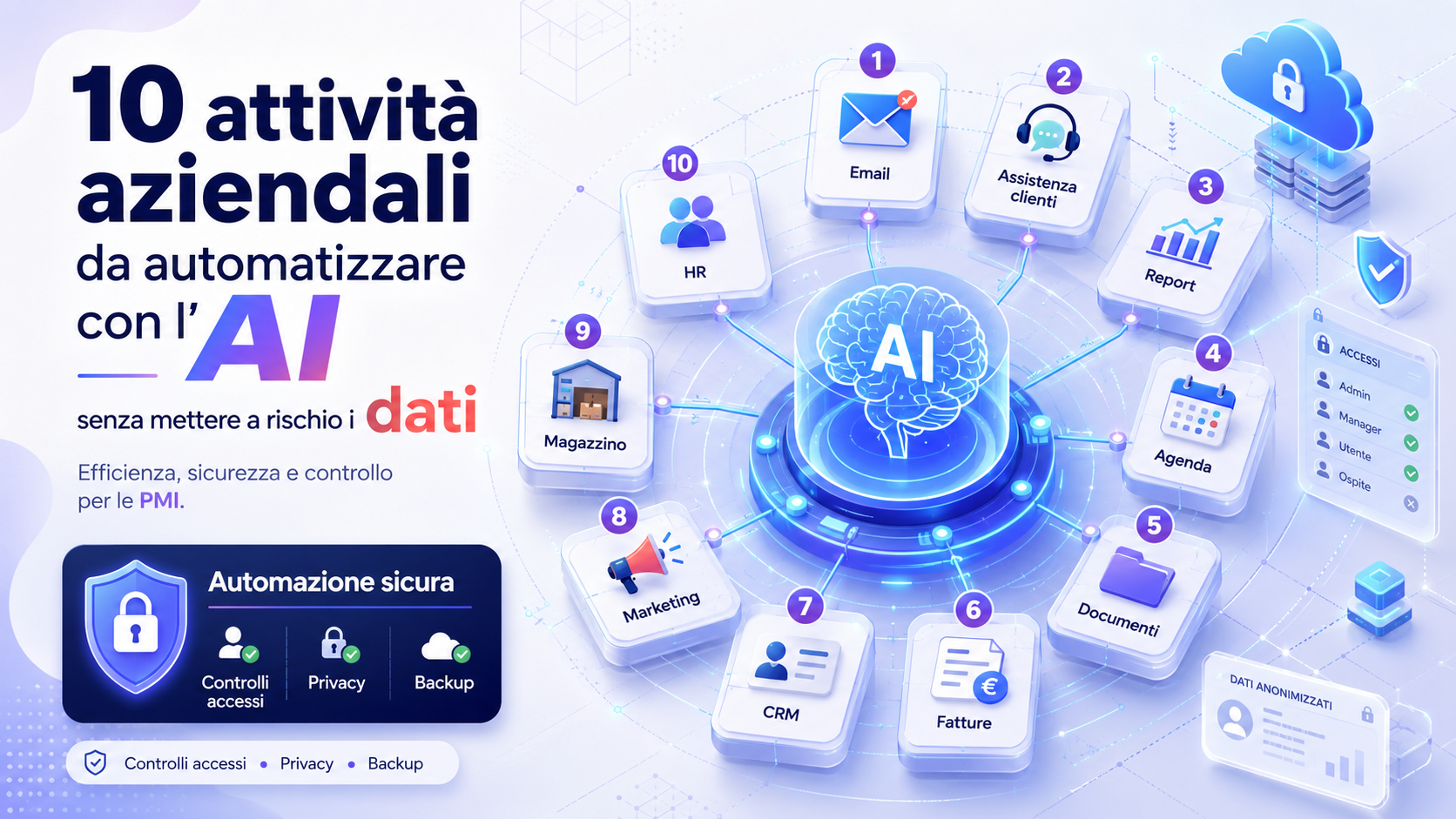
Automating business activities with artificial intelligence can help an SME reduce the time spent on repetitive operations, organise information more effectively and accelerate certain processes. Email, documents, meetings, customer support, content and reports can be managed more efficiently when AI is introduced through suitable tools and clearly defined procedures.
Operational benefits must not become a risk to personal data, commercial information, confidential documents and business credentials. Copying content into an unapproved tool, automating a decision without supervision or connecting an application to entire archives without reviewing its permissions may expose the company to errors, unintended disclosure and unexpected uses of its information.
No automation can completely eliminate every risk. The objective is to select suitable activities, use the minimum amount of data required and maintain human control over the results. Artificial intelligence can then become a support tool without replacing responsibility, verification and professional expertise.
What it means to automate with artificial intelligence
Traditional automation performs rules defined in advance. For example, a system may automatically send a confirmation when an order is received or move a document to a folder when it contains specific information.
Artificial intelligence can add more flexible capabilities, such as understanding text, summarising a document, classifying a request, proposing a response or extracting information from an invoice. Its output should not automatically be regarded as correct. A system may misunderstand the context, omit an important detail or generate inaccurate information.
It is therefore useful to distinguish between fully automated and AI-assisted activities. In an assisted process, AI prepares a draft or recommendation, while a person reviews and approves it before the result is used, sent or recorded in a business system.
The first rule: classify data before using AI
Before automating a process, the company must understand which information will be processed. Not every type of data presents the same level of risk, and not all information can be freely entered into every tool.
A simple classification can divide information into three levels:
- Public data: content already published on the website, catalogues, press releases, service descriptions and information intended for distribution.
- Internal data: procedures, drafts, reports and organisational documents that should not be published but may be processed by approved business tools.
- Confidential data: personal data, credentials, contracts, financial information, customer documents, trade secrets, health information and content subject to specific restrictions.
Public information can normally be used with greater flexibility. Internal information requires approved tools and controlled access. Confidential data should only be processed when there is a genuine need, using an appropriate solution, specific rules and a prior assessment.
Removing a person’s name does not automatically make a document anonymous. Addresses, identification numbers, job roles, dates and contextual details may still make it possible to identify the person involved.
1. Preparing drafts of emails and recurring communications
One of the simplest activities to automate is email preparation. AI can create drafts for appointment confirmations, document requests, informational replies, internal communications, thank-you messages and reminders.
The system can begin with approved templates and adjust tone, length and structure according to the recipient. The employee retains final control, checks names, dates, amounts and attachments and sends the message only after reviewing it.
To protect data, entire conversations, credentials, contractual information and sensitive details should not be copied into unapproved public tools. When text contains personal or commercial data, an approved business environment or a reduced version containing only the necessary elements should be used.
2. Summarising documents and information
Artificial intelligence can summarise lengthy documents, procedures, minutes, manuals, articles and training materials. This is useful when an employee needs to identify the main topics, deadlines, responsibilities or required actions quickly.
A summary should be treated as an orientation tool rather than an automatic substitute for the original document. In contracts, technical documentation, legal communications and texts containing specific obligations, an omitted or misunderstood sentence may change the overall meaning.
The company should define which documents may be uploaded, which must be anonymised and which must remain within internal systems. More confidential material may require private solutions, local systems or contractually approved platforms.
3. Organising meetings, minutes and follow-up activities
AI can support meeting management through transcription, summaries, identification of decisions and preparation of follow-up tasks. It can also associate a deadline and person responsible with each point discussed.
This automation reduces the time required to prepare minutes and helps prevent decisions and commitments from remaining only in participants’ personal notes. Before distribution, someone must still verify that names, decisions and responsibilities have been recorded correctly.
Recording and transcription should not be activated without informing the people involved and checking the applicable rules. Meetings concerning employees, customers, strategy, financial information or confidential matters require additional care and may not be suitable for external tools.
4. Creating FAQs and customer-support responses
Recurring customer enquiries can be organised into a knowledge base from which AI prepares answers about opening hours, payment methods, deliveries, service characteristics, returns and first-level support.
The system may suggest a response to an operator or reply automatically only to straightforward questions. Complex requests, complaints, disputes, urgent situations and cases involving personal information should be transferred to a person.
The knowledge base must contain current, approved information. An assistant working from outdated procedures can provide incorrect guidance in a confident tone. Someone must therefore be responsible for reviewing answers periodically.
5. Preparing marketing and communication content
AI can help create drafts of articles, social posts, newsletters, service descriptions, editorial calendars and variations of the same message. It can also adapt content for different channels and audiences while maintaining a tone consistent with the company’s identity.
Content must always be reviewed before publication. AI may propose inaccurate information, use overly generic language, make unsupported claims or produce text that does not match the service actually offered.
Customer lists, individual results, quotations, confidential statistics and recognisable real cases should not be included. Testimonials and case studies should only be used when authorised or correctly anonymised.
6. Classifying incoming documents and requests
An artificial-intelligence system can analyse the subject and content of emails, forms and documents and assign them to a category. A request can then be routed automatically to administration, sales, technical support, invoicing or complaints management.
Classification reduces manual sorting and speeds up response. The system should nevertheless provide a category for uncertain cases and allow an operator to correct the assignment.
Permissions must ensure that the application can access only the mailboxes and folders it needs. Connecting a tool to all corporate email when it only has to analyse one support address would provide excessive access.
7. Extracting information from invoices, orders and forms
AI can identify information in invoices, receipts, orders, forms and structured documents, including numbers, dates, suppliers, amounts, deadlines and customer references. The extracted information can be prepared for entry into a management system or approval workflow.
Automation can reduce manual data entry, but information should not be recorded permanently without checks. An error in an amount, date or reference code may create administrative and accounting consequences.
Confidence thresholds can be introduced: documents read with high confidence may follow a simplified process, while uncertain items must be reviewed by a person. Files should only be retained for as long as necessary and protected against unauthorised access.
8. Preparing reports and explanations of data
Artificial intelligence can transform aggregated data into a first draft of a report by highlighting changes, completed activities, indicators and potential anomalies. It can help describe spreadsheet or dashboard values in natural language.
The system should not replace verification of sources and calculations. A correlation may be presented as a cause, a figure may be interpreted outside its context and incomplete data may produce an unreliable conclusion.
Unnecessary identifying information should be removed before AI is used, and aggregated data should be preferred where possible. The final report should state the period analysed, the sources used and any limitations.
9. Organising tasks, deadlines and workflows
AI can analyse requests, emails and documents to propose tasks, priorities and deadlines. It can create tickets, assign an owner, send reminders and highlight cases that have not been updated within the expected period.
This automation is useful for technical support, administration, sales, onboarding and project management. Assignment rules must remain transparent and editable, preventing the system from making organisational decisions without oversight.
Access to calendars, email and management software should be limited to the required functions. An application used only to create reminders should not be allowed to read entire folders or change information unrelated to its task.
10. Creating training materials and internal procedures
Artificial intelligence can transform company procedures into guides, frequently asked questions, exercises, quizzes and training programmes. It can adapt explanations to different roles and help employees locate an approved procedure quickly.
This is useful for onboarding, security awareness, software training and recurring operations. The material must be reviewed by a competent person before it is distributed.
The system should use only current documents that the recipient is authorised to access. An internal assistant must not reveal administrative procedures, commercial information or confidential content to users without the appropriate permissions.
Activities that should not be fully automated
Not every activity is suitable for complete automation. When a decision has significant consequences for people, customers, employees or financial resources, human oversight must remain central.
Businesses should avoid delegating the following without effective supervision:
- Final selection of applicants or employees.
- Disciplinary assessments and employment decisions.
- Financial approvals and payment instructions.
- Legal, tax or health advice used as a final decision.
- Automatic rejection of important requests, complaints or services.
- Irreversible changes to business databases and archives.
- Automatic transmission of communications containing confidential data.
- Deletion of documents without verification and a recovery procedure.
AI may support these activities by preparing information, comparisons or drafts, but responsibility for the final assessment must remain assigned to an identifiable person.
Selecting AI tools suitable for business use
Before approving a tool, the company should establish how submitted data is processed, how long it is retained, where it is handled and whether it may be used to improve or train the service.
The company should also evaluate:
- Availability of separate business accounts.
- Multi-factor authentication and centralised user management.
- The ability to disable the use of content for training.
- Retention and deletion rules for conversations.
- Encryption during transmission and storage.
- Activity logs and access controls.
- Integration with business systems through limited permissions.
- Procedures for exporting and deleting data when the service ends.
- Contractual terms and available technical support.
Labels such as “business” or “enterprise” should not be treated as an automatic guarantee. Features must be checked against the configuration that has actually been purchased and enabled.
Applying the principle of minimum access
Each application should be able to access only the information required for its purpose. If a system needs to summarise support tickets, it should not receive access to accounting, employee folders or the company’s entire email system.
The same principle applies to users. Employees should see only automations and information connected to their roles. Administrator accounts should remain separate from those used for everyday activities.
Permissions must be reviewed periodically, particularly when an employee changes role, a working relationship ends or a supplier is replaced.
Always maintaining human verification
Human oversight does not mean automatically approving every result. The reviewer must have sufficient time, expertise and information to identify errors and correct the system.
Review should be mandatory when AI:
- Generates communications intended for external recipients.
- Processes personal data or confidential information.
- Proposes amounts, deadlines or accounting information.
- Produces technical, legal or organisational guidance.
- Changes information in a management system.
- Assigns priorities that may affect customers or employees.
- Does not reach a defined confidence threshold.
Identified errors should be recorded. When the same problem occurs repeatedly, the instructions, source data, automation rules or selected tool must be adjusted.
Creating a company policy for AI use
An internal policy clarifies which tools are authorised, which information may be entered and which activities require approval. Without shared rules, every employee may adopt different applications and transfer business information without the organisation being aware of it.
The policy should specify:
- Authorised AI tools and permitted uses.
- Categories of information that must not be entered.
- Methods for anonymising or minimising data.
- Situations in which human review is compulsory.
- People responsible for configurations and permissions.
- Procedures for reporting errors, disclosures and unusual behaviour.
- Rules for retaining and deleting content.
- Periodic reviews of suppliers and integrations.
Rules must be supported by training. A general ban on AI without an explanation of the risks may encourage employees to use uncontrolled tools. Providing approved alternatives and practical instructions is more effective.
How to begin an AI automation project
The introduction of AI should begin with a limited, repetitive and easily verified process. There is no need to connect the tool immediately to every piece of data and every business application.
A gradual approach may include:
- Identify a time-consuming activity with a limited level of risk.
- Define the expected result and the intended benefit.
- Classify the information involved.
- Select an approved tool and configure limited access.
- Begin with test data or documents containing no confidential information.
- Assign responsibility for reviewing the results.
- Record errors, processing times and cases handled incorrectly.
- Extend the automation only after a positive assessment.
Success should not be measured only by the number of automated operations. Accuracy, review time, error reduction, user satisfaction and information protection must also be considered.
Common mistakes to avoid
One common mistake is using free or personal tools to process business documents without checking their settings and terms. Another is assuming that every AI result is correct because it is written clearly and professionally.
Mistakes to avoid include:
- Entering credentials, passwords or access keys into prompts.
- Uploading entire archives when a small amount of information is sufficient.
- Using personal accounts for business activities.
- Granting unnecessary administrator permissions.
- Automating external transmission without an approval stage.
- Basing important decisions on unverified results.
- Failing to review changes to the provider’s terms and settings.
- Retaining conversations and files for longer than necessary.
- Failing to inform and train employees.
- Not having a procedure for disabling an integration quickly.
A useful automation must be controllable, correctable and stoppable. If the company does not know which information is being used or how to stop the process, the system is not ready for operational use.
The role of Azienda Digitale
In this context, Azienda Digitale can support SMEs, professionals and organisations in identifying the activities most suitable for automation with artificial intelligence. The assessment should begin with existing processes, the information actually used and the objectives the company wants to achieve.
Support may include tool selection, account configuration, permission management, procedure creation, integration with business software, user training and periodic review of automations.
Automating with AI does not mean transferring every activity to an external system. It means using technology where it can reduce repetitive work while maintaining control, security and responsibility. An SME can begin with simple processes and expand gradually only after results and risks have been assessed.
Frequently Asked Questions
Is it safe to enter business data into an artificial-intelligence tool?
It depends on the type of information, the tool and its configuration. Before entering internal or personal data, the company must review retention, content usage, security, permissions and contractual conditions.
Which information should not be included in prompts?
Passwords, credentials, access keys, unnecessary personal data, confidential documents, trade secrets and customer information should not be entered into tools that have not been expressly approved.
Can AI respond to customers automatically?
It can handle straightforward questions based on approved information. Complaints, complex requests, urgent cases and conversations containing sensitive information should be transferred to an operator.
Is removing a person’s name enough to anonymise a document?
Not always. Other elements, including roles, addresses, dates, codes, contractual details and contextual information, may still make a person or organisation identifiable.
Should AI-generated results always be reviewed?
Review is particularly important for external communications, accounting information, personal data, organisational decisions and technical content. The level of control can be adapted to the risk of the activity.
Which automation should an SME implement first?
It is preferable to begin with a repetitive, easily verified activity based on public or low-sensitivity information, such as preparing drafts, classifying requests or creating internal FAQs.
Would you like to automate repetitive activities with artificial intelligence without losing control of your business data?
Azienda Digitale
can help you select tools, procedures and automations suited to your organisation’s actual requirements.