



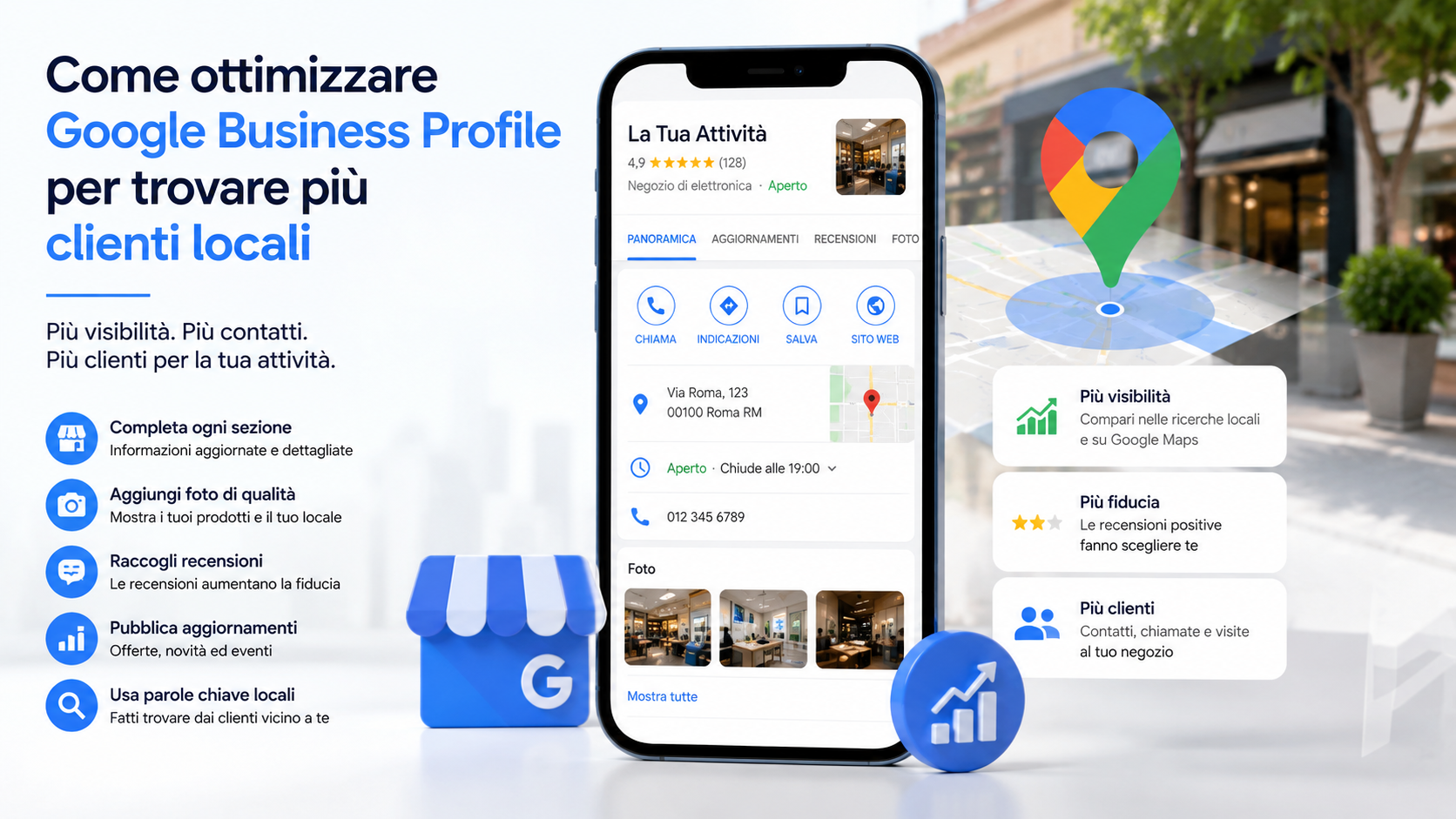
Optimizing Google Business Profile helps shops, professional practices, restaurants, tradespeople and service companies present more complete information in Google Search and Maps. When someone searches for a nearby business, the profile may display its address, opening hours, telephone number, website, photographs, services, reviews and directions.
Creating a profile does not automatically guarantee strong visibility. Information must remain accurate, consistent and current, while categories, services, images and reviews should help Google and potential customers understand what the business genuinely provides. The objective is not to insert as many keywords as possible, but to create a trustworthy and useful local presence.
What Google Business Profile is
Google Business Profile is the service through which eligible businesses can manage certain information displayed on Google Search and Google Maps at no charge.
A profile may include:
- Business name.
- Primary and additional categories.
- Address or service area.
- Telephone number.
- Website and action links.
- Regular and special opening hours.
- Business description.
- Services and products.
- Photographs and videos.
- Updates, offers and events.
- Reviews and owner responses.
The profile does not replace the company website. It provides an immediate contact point that may lead to a call, enquiry, booking, visit or relevant website page.
How local visibility works
Google states that local results are mainly based on relevance, distance and prominence. These elements are combined to identify businesses that may provide the best response to the user’s search.
- Relevance: how closely the profile matches the search.
- Distance: how far the business is from the location used in the search.
- Prominence: how well known and established the business appears online and offline.
A single profile edit cannot therefore guarantee a particular position. A business may be highly relevant but still be affected by the customer’s location and the strength of nearby competitors.
There is no method for requesting or purchasing a better organic local ranking from Google. Advertising can provide paid visibility, but it does not purchase higher organic placement.
Verify and claim the correct profile
Before optimizing the content, the business should confirm that the profile belongs to the correct organisation and is controlled through appropriate company accounts. A profile may have been generated automatically, created by a former employee or connected to an old email address.
Check:
- Who currently owns the profile.
- Which account is the primary owner.
- Which owners and managers still have access.
- Whether duplicate profiles exist.
- Whether the name, address and telephone number are correct.
- Whether verification has been completed.
Each employee and supplier should use an individual Google Account rather than sharing the primary owner’s password. Unnecessary access should be removed promptly.
Use an accurate business name
The profile name should match the name by which the business is represented and recognised in the real world, including its signs, website, stationery and marketing material.
Keywords, locations, slogans, telephone numbers and lists of services should not be added when they are not part of the genuine business name.
A name such as:
Rossi Accounting
should not be artificially changed to:
Rossi Accounting London Tax Returns Bookkeeping and Business Advice
Keyword stuffing can create inconsistencies and may result in edits or profile restrictions. Locations and services should be entered in the appropriate sections and explained on the website without changing the company’s real identity.
Select the correct primary category
The primary category is one of the main ways to explain what type of business is being represented. It should describe the organisation’s principal activity rather than a secondary service or a popular search term.
Consider:
- Which activity best represents the main business.
- How customers would normally describe the company.
- Which available category is the most specific.
- Which services are genuinely provided.
- Whether the category matches the website and real-world branding.
A specific category is generally more informative than an excessively broad one. The selected option should accurately represent the business rather than every possible service it can perform.
Use additional categories carefully
Additional categories may describe other genuine parts of the business. They should not be used to include every individual service or to appear in unrelated searches.
An additional category is appropriate when:
- It represents an established part of the business.
- The service is provided consistently.
- The company website supports the same information.
- The team is genuinely capable of delivering it.
- The category does not mislead potential customers.
Individual services should normally be listed in the services section, while categories should identify the main types of business activity.
Configure the address and service area
An address should be displayed only when customers can genuinely visit and receive service at that location during the stated hours.
The main configurations are:
- Storefront business: displays the address where customers are served.
- Service-area business: hides the address and lists the areas where the company visits or delivers to customers.
- Hybrid business: serves customers at its premises and also travels or delivers to them.
A professional working from home who does not receive customers should not display a residential address as though it were a customer-facing office. Virtual offices, post-office boxes and locations that are not genuinely operated may create eligibility problems.
The map marker should also be reviewed, especially where the entrance is in a side street, shopping centre or multi-building complex.
Complete telephone, website and action links
The telephone number should be controlled directly by the business and connect customers with the appropriate location or department.
The website link should lead to a page that is:
- Working and protected with HTTPS.
- Usable on mobile devices.
- Consistent with the profile name and services.
- Clear about contact information.
- Relevant to the location or service area.
- Free from misleading redirects.
Where available, separate links may be added for appointments, bookings, orders, menus and other actions. Each link should lead directly to the promised task.
Keep regular and special hours current
Opening hours are among the most frequently used profile details. Customers who find a business closed after the profile indicated that it was open may lose confidence and choose a competitor.
Review:
- Normal weekly hours.
- Daily breaks.
- Sunday openings.
- Public holidays.
- Temporary closures.
- Seasonal schedules.
- Hours for specific services.
The profile should be checked before holidays, annual leave and seasonal changes. Hours should also remain consistent with the website, signs, social pages and booking systems.
Write a useful business description
The description should explain naturally what the company does, who it serves and where it operates. It should not become an artificial sequence of local keywords.
A useful description may include:
- Type of business.
- Main products or services.
- Target customers.
- Relevant geographical area.
- Experience or specialisation.
- Genuine distinguishing features.
- How services are delivered.
Claims such as “the best”, “number one” and “lowest prices guaranteed” should be avoided when they cannot be supported.
Add complete and organised services
Service businesses may add services organised into relevant groups, with descriptions and prices where appropriate. This helps customers determine whether the company can meet their needs.
Each service may include:
- A clear and specific name.
- A concise description.
- A fixed or starting price where relevant.
- An appropriate category.
- A corresponding website page.
Avoid creating several almost identical services purely to repeat locations and keywords. Services should correspond to genuine offers and to information available on the company website.
Present products, menus and offers accurately
Some business categories can display products, menus and other commercial information. These sections may help customers compare the offer before visiting or contacting the company.
Entries should contain:
- The correct product or service name.
- A clear description.
- An authentic, high-quality image.
- A current price where displayed.
- A relevant website link.
- Availability and conditions consistent with the website.
An outdated catalogue can produce unnecessary enquiries and reduce trust. Products that are no longer available, incorrect prices and broken links should be removed or corrected.
Publish authentic professional photographs
Images help customers recognise the company and understand its premises, products and working methods. Genuine business photographs are normally more useful than generic stock images.
A useful collection may include:
- Logo and cover image.
- Building exterior and entrance.
- Interior and customer areas.
- Employees carrying out appropriate business activities.
- Products, food or completed work.
- Equipment and working environments.
- Details that help visitors identify the location.
Images should be current, clear and representative. Before publishing photographs containing customers, employees or visible documents, the business should consider consent, privacy and confidential information.
Request reviews without breaking the rules
Reviews help potential customers understand previous experiences and may contribute to local prominence. They must reflect genuine customer interactions.
A company can request reviews through:
- A post-service email.
- A delivery follow-up message.
- A direct review link.
- A QR code on receipts or information materials.
- A reminder within a customer portal.
The request should remain neutral and be sent to genuine customers without asking only for positive feedback.
Businesses should not:
- Pay for reviews.
- Offer discounts, gifts or free services.
- Ask employees to pretend to be customers.
- Purchase review packages.
- Request reviews only from satisfied customers.
- Make support conditional on changing a negative review.
Respond to positive and negative reviews
Responses demonstrate that the company pays attention to customer feedback. They should remain professional, relevant and respectful rather than relying on the same automated text.
For positive reviews:
- Thank the customer.
- Refer briefly to the service received.
- Avoid excessive promotional content.
- Invite the customer to return naturally.
For negative reviews:
- Respond calmly.
- Do not publish personal or confidential details.
- Acknowledge verified problems.
- Offer a private contact channel.
- Correct inaccurate information briefly.
- Avoid threats and extended public arguments.
A negative review can be reported only where it violates the applicable content policies. A low rating by itself is not sufficient.
Use updates, offers and events
Business Profile posts can communicate news, promotions, events and useful information through Search and Maps.
They can be used to:
- Introduce a service.
- Announce an event.
- Promote an offer with clear conditions.
- Communicate an important change.
- Publish a seasonal update.
- Direct customers to a booking or website page.
Each post should have one clear message, a relevant image and an appropriate action. Frequent posting does not guarantee stronger local rankings, but it can keep customer-facing information current.
Connect the profile to a locally relevant website
The company website provides more detailed information about services, experience and the geographical area served. Its main details should remain consistent with the Business Profile.
The website should provide:
- A consistent business name.
- Address or service area.
- Telephone number.
- Current opening hours.
- Pages for important services.
- Directions where relevant.
- Useful content concerning the genuine local market.
- Working forms and contact buttons.
Local pages should not be created by duplicating the same text for dozens of cities where the business has no genuine presence. Each page should provide specific and useful information.
Maintain a consistent online presence
The business name, contact details and location should remain consistent across the website, important social profiles, professional directories and relevant industry platforms.
Check for:
- Old addresses.
- Discontinued telephone numbers.
- Duplicate profiles.
- Very different versions of the business name.
- Abandoned social pages.
- Broken website links.
- Incorrect information on external platforms.
Mentions from trustworthy local publications, professional associations, partners and industry websites can strengthen recognition. Submitting the company indiscriminately to hundreds of low-quality directories is unlikely to provide equivalent value.
Measure calls, visits and enquiries
Business Profile performance information can show how customers discover the profile and which actions they take, depending on the data available for the business category.
Metrics may include:
- Views on Search and Maps.
- Search terms used by customers.
- Telephone calls.
- Direction requests.
- Website visits.
- Bookings and other available interactions.
These figures do not always provide complete commercial attribution. A call may not become a customer, while a website visit may lead to an enquiry later.
Profile data can therefore be combined with:
- Website analytics.
- Tracking parameters on links.
- CRM or enquiry records.
- Compliant call-tracking methods.
- Questions about how customers found the business.
Manage multiple locations correctly
A company with several genuine operating locations may manage separate profiles where each location meets the applicable eligibility requirements.
Each location should have:
- A real and accurate address.
- Current opening hours.
- An appropriate telephone number.
- A location-specific website page where available.
- Photographs of the actual location.
- Information matching the services provided there.
- Assigned responsibility for updates.
Profiles should not be created for cities where the company has no real location purely to increase local coverage. Businesses that travel to customers should use the available service-area configuration.
Protect the business profile
The profile may directly influence enquiries and the company’s reputation. It should therefore be protected as an important business account.
- Use individual accounts.
- Enable multi-factor authentication.
- Maintain a primary owner controlled by the company.
- Assign manager access where full ownership is unnecessary.
- Remove former employees and suppliers.
- Review notifications concerning profile changes.
- Keep documents that demonstrate business existence.
- Review Google-suggested updates.
The profile should not remain under the exclusive control of an external agency. The business must retain ownership and be able to change suppliers without losing access.
A 30-day optimization plan
- Review ownership, managers and account security.
- Check eligibility and duplicate profiles.
- Correct the name, address, service area and map marker.
- Select primary and additional categories.
- Update telephone, website, hours and action links.
- Write a clear business description.
- Add important services and products.
- Publish current photographs.
- Create a compliant review-request process.
- Respond to existing reviews.
- Publish one genuinely useful update.
- Check consistency across the website and external profiles.
- Configure link tracking.
- Record initial performance data.
- Schedule a monthly review.
After thirty days, calls, website visits, enquiries and information quality can be compared with the starting position. Individual edits should not be expected to produce an immediate guaranteed ranking increase.
Common mistakes to avoid
- Adding keywords to the business name.
- Using virtual or unstaffed addresses.
- Creating non-existent locations.
- Selecting irrelevant categories.
- Leaving outdated hours and contact details.
- Listing unavailable services.
- Purchasing reviews.
- Offering incentives for ratings.
- Responding aggressively to criticism.
- Publishing generic or misleading images.
- Ignoring the company website.
- Sharing one password among several people.
- Giving exclusive ownership to an external agency.
- Measuring success only through one search position.
An effective profile should primarily be useful to customers. Accurate information, authentic images, genuine reviews and working links provide a stronger foundation than changes designed only to manipulate rankings.
The role of Azienda Digitale
In this context, Azienda Digitale can support SMEs, professionals and local businesses in analysing and optimizing Google Business Profile. The process can begin with an assessment of ownership, published information, categories and consistency with the company website.
Support may include location and service-area configuration, service organisation, image review, review-management procedures, update publishing, local website optimization and enquiry tracking.
The objective is not to promise a guaranteed position, but to make the business easier to understand, trust and contact. A well-managed profile can turn local searches into calls, visits, appointments and new commercial opportunities.
Frequently Asked Questions
Is Google Business Profile free?
Yes. An eligible business can create or claim its profile and manage information displayed on Google Search and Maps without charge. Optional advertising services remain separate.
Does adding keywords to the business name improve rankings?
The profile name must match the name used by the genuine business. Adding locations and services that are not part of the name may violate the guidelines and create profile problems.
How many reviews are needed to appear in local results?
There is no universal number. Review quantity, rating, authenticity, industry, competition, distance and relevance are considered alongside other signals.
Do Business Profile posts directly improve rankings?
Google does not guarantee a ranking increase based on posting frequency. Updates can still help customers discover current offers, events and business information.
How often should the profile be updated?
Information should remain accurate at all times. A monthly review is advisable, with immediate updates whenever hours, services, contact details, location or operating conditions change.
Would you like to optimize your Google Business Profile and turn more local searches into calls, visits and enquiries?
Azienda Digitale
can help you correct business information, improve services and content, and create a practical, measurable local strategy.