


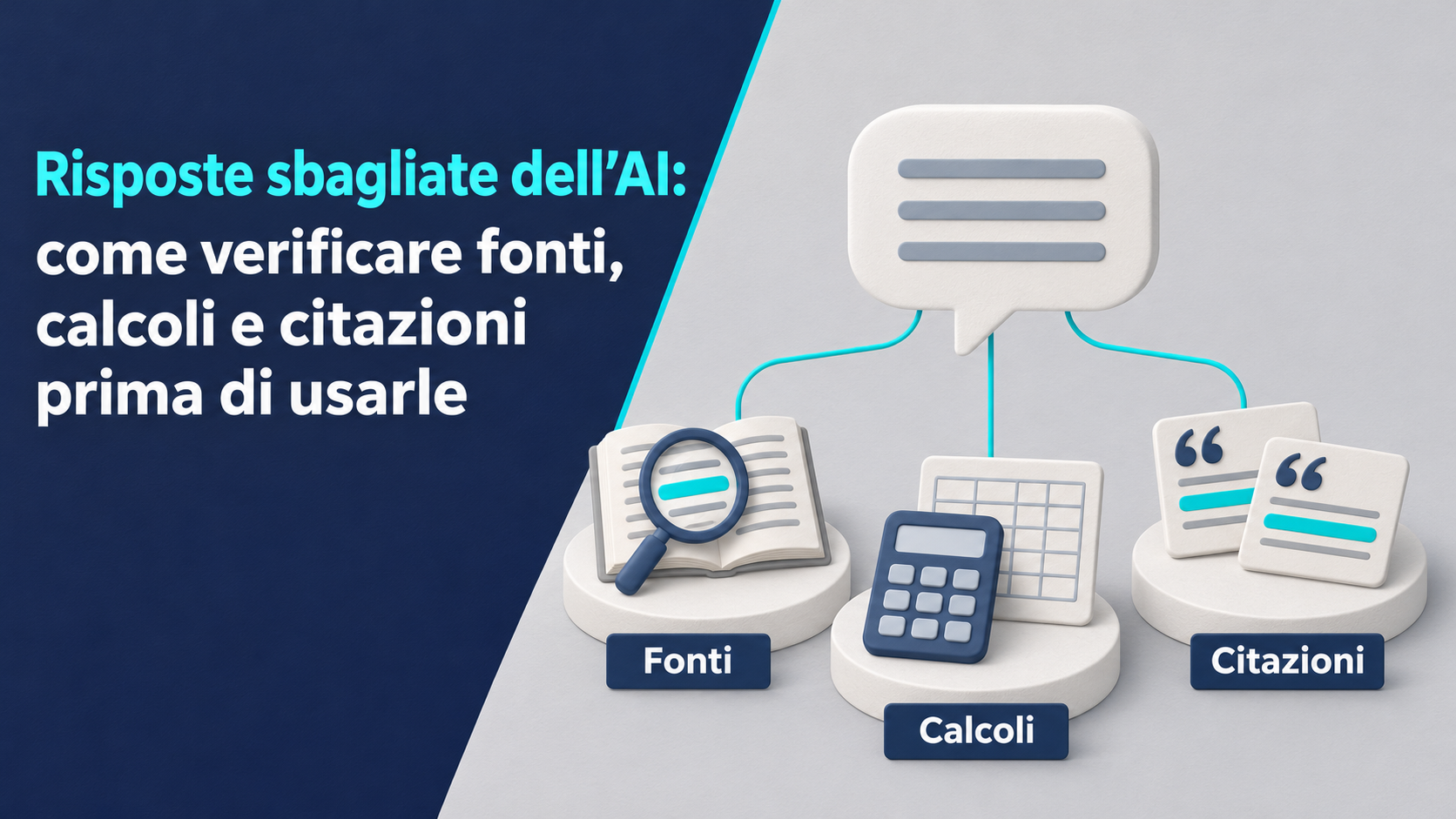
An AI answer can arrive in seconds with a precise number, a sentence in quotation marks and a link. Before copying it into a price quote, an email to a customer or an article, check three things. The link must lead to the right document. The number must follow from the relevant data and formula. The quoted words must appear in the source and retain their meaning in context.
Verification is easier when you start with how the answer will be used. For organizing ideas, notes to review later may be enough. If a figure determines a price or a specification guides a purchase, use a check someone else can repeat. This guide offers a method for turning a generated answer into text or a calculation ready to use.
Recognize what an incorrect answer can look like
NIST’s generative AI profile describes the risk of false or incorrect responses presented confidently, also called hallucinations. Examples include plausible citations and explanations that appear to justify the result. An answer may contain an accurate passage and then attribute it to the wrong document. It may also cite a genuine source and draw a broader conclusion than the text supports. NIST generative AI profile, section 2.2
Treat the answer as material to review. If a statement surprises you, look for the passage it relies on. Do the same for claims that confirm what you already thought. In both cases, check that the statement matches the evidence supporting it.
Decide what checks the intended use requires
Ask who will read the result and what they might decide based on it. A list for preparing a meeting can include points that still need investigation. A message to a customer calls for checking the terms promised and the product details. If an amount will go into a price quote, reconstruct the calculation and check the figures against the commercial document they came from.
For text that will inform a technical decision, identify who can confirm that the conclusion applies to the specific case. For example, a specification sheet may list an available feature, while the person responsible for the workstation must check the model, configuration and dependencies. Before reviewing, decide which points need documentation and which can be explicitly left open.
Break the answer into claims you can verify
Divide the text into claims you can check one at a time. A statement such as “the update fixes the issue and works on all models” contains at least two claims. One concerns the fix. The other concerns compatible models. The document confirming the fix might list only a limited set of devices.
Note what evidence you need for each point. It could be a manual page, a table, a reproducible calculation or the exact wording of a passage. Check the claims that others depend on first. If the exact device model is uncertain, identify it before reading the specifications so you gather evidence for the right machine.
Open the link and identify the document
Follow the link and check where it leads. Read the title, author or organization, date and version. If the link opens a general page, look for the specific document on the official website. If the link returns an error, try searching for the title and the name of the author or organization separately. A broken link alone leaves open the question of whether the document exists.
For a research article, check that the DOI, if provided, leads to a record with the matching title, authors and publication venue. Crossref’s metadata search lets you search by title, author or DOI. Once you identify the work, open the publisher’s page and find the passage you need. Crossref Metadata Search
Find the source closest to the claim
Choose a source that answers your question. The manufacturer’s manual can document a device’s ports. Release notes can show when a feature was introduced. An order or internal contract record can establish which service was actually purchased. An article that points to one of these documents can help you find it. Follow the reference to confirm the claim.
When the answer cites a study, find the original work and check that it measured the phenomenon you are discussing. Distinguish, for example, between a lab test and an assessment conducted under your operating conditions. If you need independent confirmation, look for another source with its own data or methods. Two pages that repeat the same press release share the same source.
Check whether the source actually supports the claim
Find the relevant passage in the document, then read the full paragraph or table. A note may limit a finding to a version, a date range or a subset of cases. Include that condition alongside the claim. If a specification lists compatibility with a particular model, naming it helps readers understand when the information applies.
A document may cover the same topic without establishing the conclusion. If so, revise the claim to match what you can verify or find evidence that supports it. Record the page, section or table row. That makes it easier to check again when the text is shortened or reused in another document.
Verify the date, version and scope
Check the period the data covers and when it was published or updated. For a software feature, note the version and platform. For a commercial term, check the market, date and plan it applies to. In a statistical series, the period observed and the release date answer different questions. Metadata helps explain the population, variables and collection method. Istat guide to the quality of official statistics
For scientific research, check the publisher’s notices for corrections and retractions. If the publication uses Crossmark, its button gives access to updates recorded for the work. If you find a correction, check whether it affects the data or conclusion you intend to cite. Crossref documentation on Crossmark
Check which row a number comes from
When AI gives you a figure from a table, identify the row, column and unit in the heading. A table that continues onto the next page of a PDF may repeat headings or have footnotes. Read the table in its original layout, especially if copied text has lost its alignment. Check whether the figure is a total, a subtotal or one of the entries that make it up.
When transferring a figure into a summary, keep the labels that explain it. A number from a quarterly column can be misleading if the summary presents it as an annual result. If the table contains revised data, note which version you used and check that any comparisons also use the appropriate series.
Handle sources that disagree or are inaccessible
If two sources report different values, compare their definitions, dates, units and methods before choosing one. The number of orders received and the number fulfilled, for example, may differ even for the same period. If the discrepancy remains, state which definition you need and what evidence you found. Avoid averaging values that measure different things.
If you cannot access the full text, look for a copy deposited by the author or a version available through your organization. Check which version you found. If you only have the abstract, limit your claims to what it can confirm. If the key passage is missing, flag the point for verification or omit it from the version you intend to use.
Verify the words in quotation marks
Open the original and find the sentence. Check the words, punctuation, who is speaking and whether the words are attributed to someone else. In a scanned PDF, text search can miss a passage. If you have the page reference, read the image directly. For video or audio, listen to the relevant segment again and note the timestamp.
Read the surrounding sentences as well. An assumption or qualification can change the meaning of an otherwise accurate excerpt. If you omit part of the passage, mark the omission according to your editorial conventions and make sure the essential conditions remain visible. If you cannot find the original wording, leave the direct quotation out. A full bibliographic reference makes it easier to find the text and repeat the check.
Distinguish quotation, translation and paraphrase
A direct quotation reproduces the source’s words. A translation renders a passage in another language and should be identified as such, unless you are quoting and citing an official translation. Check the original for wording such as “may,” “must” and “should.” These can express different conditions or levels of certainty.
When restating an idea in your own words, use a paraphrase without quotation marks and keep the reference to the document. Reread both versions to confirm that the meaning holds. If the source says an intervention produced a result under the observed conditions, a faithful paraphrase preserves those conditions. Applying it in a different context requires a further step, with its own justification.
Check the inputs before the formula
Before repeating a calculation, recover the original data. For a price quote, compare the values with the items in the price list or offer. For an internal summary, record the file, worksheet, period and any filters. Check how duplicate rows, missing values and excluded quantities were handled. A blank cell can represent missing data. Decide how to handle it based on what it means in the document.
Identify any assumptions the answer introduced. If the request specifies a cost “per user,” check which users count and what period applies. Once the inputs are clear, record the source of each value next to the formula. If a figure still needs confirmation, carry that uncertainty through to the result.
Write out the formula and repeat the calculation
Reconstruct the formula from the question. If you want a total for several items with different quantities, multiply quantity by unit price for each row and add the results. Apply discounts and other terms in the order specified by the reference document. Repeat the calculation with a calculator, spreadsheet or script you can inspect.
Keep intermediate results that help you locate any discrepancy. If two totals differ, compare the subtotals, the rows included and the point at which you rounded. Also check whether the answer used an estimate where you have an exact value. A reproducible result lets you recalculate everything when a quantity or term of the offer changes.
Test the formula with a simple calculation
Before applying a formula to many rows, build an example you can check mentally. In a hypothetical exercise, three units at twenty euros each give a subtotal of sixty euros. If the exercise calls for a ten percent discount on that subtotal, the discount is six euros and the result is fifty-four euros. Enter the three inputs in the spreadsheet and compare both the result and the discount calculated.
Then test the same row with a zero discount. The result should equal the subtotal. A simple case helps identify where the formula misinterprets a percentage or applies the discount to the wrong base. For a real price quote, get prices and terms from the relevant documents and repeat the check on the items that will actually be included.
Verify denominators, percentages and averages
Always write down which total the percentage is based on. To measure a relative change, divide the difference by the starting value and multiply by one hundred. If the starting value is zero, that formula involves division by zero. To describe the difference between two percentages, you can use percentage points. State which measure you are using.
To combine percentages for different groups, go back to the counts if available. For example, to find the overall share of closed tickets in two departments, add their closed tickets and divide by the total number of tickets across both departments, provided the period and definitions match. A simple average of the percentages gives the departments equal weight even when their volumes differ.
Check units, orders of magnitude and rounding
Write the unit next to each number, including in intermediate steps. Converting meters to millimeters is one example you can verify. The prefix milli means one thousandth, so one meter equals one thousand millimeters. If a result uses both meters and millimeters, convert the inputs to the same unit before comparing or adding them. BIPM, International System of Units
Then check whether the result is plausible. A sum of positive quantities must be at least as large as its largest entry. For an amount calculated from several rows, a mental estimate can reveal a misplaced decimal point. Decide when to round and note the rule. If the reference document specifies rounding each line item, apply it at that same stage when you repeat the calculation.
Review generated spreadsheet formulas
Before pasting an AI-generated formula into a working file, try it on a copy. Check the input cells, absolute or relative references, and how the formula handles blanks and errors. Test a row whose result you already know and see what happens when you fill the formula down or add a row.
In Excel, formula auditing tools can trace the cells a result depends on and, in the versions listed by Microsoft, evaluate a nested formula one step at a time. Use them to see, for example, whether a subtotal stops one row short or a condition selects the wrong branch. Microsoft, relationships between formulas and cells Microsoft, evaluate a nested formula
Follow an example from answer to correction
Suppose an answer attributes the statement “all models support two external displays” to a manual. Treat it as a claim to verify. Open the manual, find the display section and read the table for the model you use. If the table says the second display is supported only with a specific configuration, include that condition and remove the quotation marks if you rewrote the passage.
If the same answer proposes a cost for setting up the workstations, separately verify quantities, unit prices and included items. An accessory required by the documented setup could affect the total. Update the list of components first, then recalculate the total. Checking the source changes which inputs go into the calculation.
Use AI to prepare the verification
You can ask AI to list factual claims, suggest search terms or spell out a formula’s assumptions. If you give it a document, ask it to identify the page or section supporting each claim and flag any points for which it cannot find a passage. Use the references as leads to open and check. OpenAI, limitations of responses and checking information
If you ask another model to review the same answer, use any objections to guide the review. Confirmation comes from the original text, the data or a reproduced calculation. For company documents, use tools and materials your organization authorizes you to share. If you only need to test a formula, try it with test data and apply it locally to the real data after checking it.
Keep a record for review
For key points, record the verified statement, source address, page or section, version and date checked. For a number, add the inputs, formula and result of the recalculation. Identify who verified the result when the document changes hands. A brief note is enough if it lets someone trace the evidence used.
Before sending, reread headings, charts, captions and summaries as well. A qualification in the body can disappear from a heading. A value corrected in a spreadsheet may still be wrong on a slide if it was copied before the review. Correct every occurrence and flag any open points for the person who approves the document.
Checklist before using an answer
For text or calculations you plan to share, check these points.
- Every important claim has identifiable supporting evidence.
- Links lead to the correct documents, and the passages support the associated claims.
- The date, version, population and conditions match the intended use.
- Direct quotations have been checked against the original and read in context.
- Inputs, formula, denominators, units and rounding are explicit.
- The result has been recalculated and all copies in the final document are up to date.
- Any remaining uncertainties are stated, assigned to someone to verify or left out of the version you will use.
Adapt the checklist to the decision. One figure can take longer to verify than everything else if it determines a cost, a commitment or a technical choice.
Frequently asked questions
If AI includes a link, can I cite the source?
Open the link and check the title, author or organization, date and content. Find the passage supporting the claim and keep a precise reference. If you find a relevant document that supports a narrower conclusion, adjust the claim before citing it.
What if two tools give the same result?
Check that both received the correct inputs and applied the formula that fits the question. Two tools can give the same total because they use the same assumption. Go back to the source of the numbers and verify at least one intermediate step and the rounding rule.
Can I use a quotation I only find quoted by others?
Look for the original and check the attribution and context. If you only have access to a secondary source, say that the attribution comes from that source and limit the text to what you can verify. If the exact wording is decisive, wait until you have direct confirmation.
Do I need to repeat all the checks when the text is updated?
Repeat the checks affected by the update. If an input changes, update the calculations, charts and statements that depend on it. If the source changes, check the passage and the scope it applies to. Record the new version so an earlier copy does not circulate as the verified one.
Conclusion
Before using an AI answer, return to the documents, data and steps it depends on. Open the sources and read what supports the claim. Repeat the calculations with explicit inputs, units and formulas. For direct quotations, compare the words with the original and provide the necessary context.
Keep enough information for a colleague to repeat the check. If a key point still lacks support, correct the claim, state the uncertainty or postpone using the result. Verification is complete when the final text reflects what you were able to confirm.
Would you like to explore this topic for your business? Azienda Digitale can help you assess the right solutions and put them into practice. Azienda Digitale