


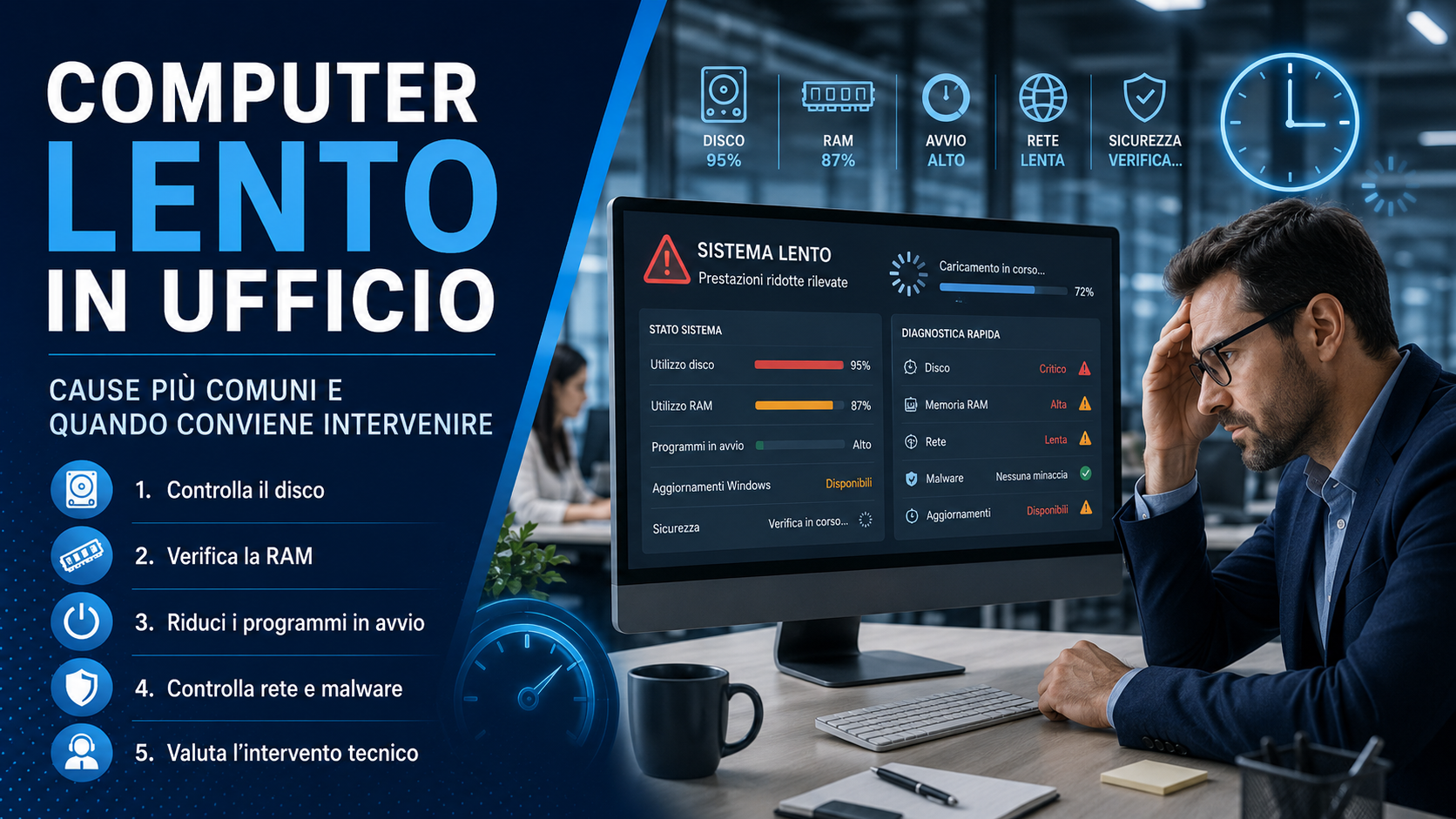
A slow office computer may seem like a minor problem, but in practice it can significantly affect daily productivity. Opening programs, accessing files, browsing the web, managing email, using business software and working with cloud tools all require speed and continuity. When a workstation slows down, it is not only the individual user who loses time: the entire workflow can often be affected.
In 2026, many business activities depend on computers, networks, online applications and digital services. For this reason, ignoring slowdowns, frequent freezes or excessive startup times can turn a small inconvenience into a more serious operational problem. Understanding the causes makes it possible to intervene precisely, avoiding unnecessary expenses and reducing downtime.
Why a slow computer should not be underestimated
A slow computer is not just a poorly performing workstation. It can become a constant source of interruptions, errors and loss of concentration. Every minute lost waiting, restarting, loading or dealing with freezes adds up over time and can affect appointments, deadlines, customer support and administrative tasks.
In the office, computers are often connected to printers, servers, shared folders, business software, accounting tools, cloud services and communication platforms. When a machine does not work properly, the problem can also affect other services, creating difficulties that are hard to identify without a technical check.
The most common causes of slowdowns
There can be many reasons why a computer becomes slow, and they do not always depend on the age of the device. Sometimes the problem comes from insufficient hardware, while in other cases it is caused by heavy software, incorrect configurations, incomplete updates, unnecessary programs or security issues.
Among the most frequent causes we find:
- A mechanical hard drive that is too slow or damaged.
- Insufficient RAM for the programs being used.
- Too many applications starting automatically.
- An operating system that is outdated or overloaded.
- Antivirus software that is poorly configured or too invasive.
- Malware, suspicious extensions or unwanted programs.
- Disk space almost full.
- Network, DNS or unstable internet connection issues.
- Business software that is not optimized or a database that has become too heavy.
Identifying the correct cause is essential. Replacing a computer without analysis can be wasteful, just as continuing to use a workstation that is no longer suitable can generate hidden costs far greater than the price of a technical intervention.
Hardware: disk, RAM and outdated components
One of the most common causes of slowness is an old mechanical hard drive. Replacing a traditional hard drive with an SSD can greatly improve system startup, program opening and overall responsiveness. In many cases, this intervention can extend the useful life of the computer without replacing it entirely.
RAM is also important. If the computer constantly works with many browser tabs, business software, email, word processing programs and cloud tools open at the same time, insufficient RAM can cause continuous slowdowns. Before purchasing a new device, it is worth checking whether a targeted hardware upgrade can solve the issue.
Software, updates and unnecessary programs
A computer can also slow down because of software-related issues. Programs installed over time, applications that start automatically, browser extensions, temporary files and incomplete updates can overload the system and reduce performance.
Software maintenance helps remove unnecessary elements, check active processes, update the operating system, verify drivers and applications, remove unused programs and improve overall stability. However, it is important to intervene carefully, avoiding aggressive automatic cleanup tools that may create more problems than benefits.
Network, cloud and internet connection
Sometimes the computer seems slow, but the real problem is the network. Slow shared folders, poorly responding online business software, web pages that open with delay or cloud services that synchronize continuously can depend on unstable connectivity, weak WiFi, an overloaded router or non-optimal network configurations.
In an office, it is therefore important to distinguish between device slowness and network service slowness. A technical check can verify connection quality, WiFi performance, cables, switches, DNS, router configuration and traffic generated by connected devices.
Security, malware and risky behavior
Malware, adware, unwanted extensions and suspicious software can slow down the computer and put business data, credentials and confidential documents at risk. Sudden slowdowns, unusual advertising windows, browser changes or unknown programs can be warning signs that should not be ignored.
A security check should include antivirus scanning, installed program review, browser extension analysis, account verification, updates and permission checks. Computer performance and cybersecurity are often connected: a compromised system can also be unstable and unreliable.
When it is worth intervening
It is worth intervening when slowness becomes frequent, when the computer freezes during ordinary tasks, when startup takes too long or when the employee is forced to restart the machine often. Repeated errors, program crashes and difficulties accessing files are also signs that should be checked.
The intervention may involve software, hardware or infrastructure. In some cases, targeted maintenance is enough; in others, it may be better to increase RAM, replace the disk, reinstall the system or change the workstation. The best choice depends on the cost of the intervention, the age of the computer, the user’s needs and the impact on productivity.
Preventive maintenance and periodic checks
The best solution is not to wait until the computer becomes unusable. Periodic maintenance allows disk health, updates, security, available space, unnecessary programs, backups and general performance to be checked. This helps prevent failures and reduce unexpected downtime.
For a company, having a workstation control plan means working with greater continuity. Even simple scheduled checks can avoid lost workdays, urgent interventions and rushed replacements. Prevention is often cheaper than emergency response.
The role of Azienda Digitale
In this scenario, Azienda Digitale can help businesses, professionals and offices correctly diagnose the causes of slowdowns and choose the most suitable intervention. The goal is not to automatically replace devices, but to understand whether it is better to optimize, upgrade or renew the workstation.
An efficient computer improves daily work, reduces operational stress and allows better use of software, cloud and digital tools. Intervening at the right time means protecting productivity, data and business continuity.
Questions and Answers
Why does an office computer become slow?
The causes may include insufficient hardware, slow disk, low RAM, too many startup programs, outdated software, malware or network issues.
Is it always worth buying a new computer?
No. In many cases, a targeted upgrade such as an SSD or additional RAM can greatly improve performance without replacing the entire workstation.
Can slowness depend on the internet connection?
Yes. If slowdowns affect cloud services, online business software or shared folders, the problem may depend on the network rather than the computer.
How often should office workstations be maintained?
Periodic checks are recommended, especially in offices where computers are used every day for operational and administrative activities.
Is your office computer slow, freezing or slowing down daily work?
Azienda Digitale
can help you analyze the causes, optimize workstations and improve the efficiency of your IT infrastructure.