


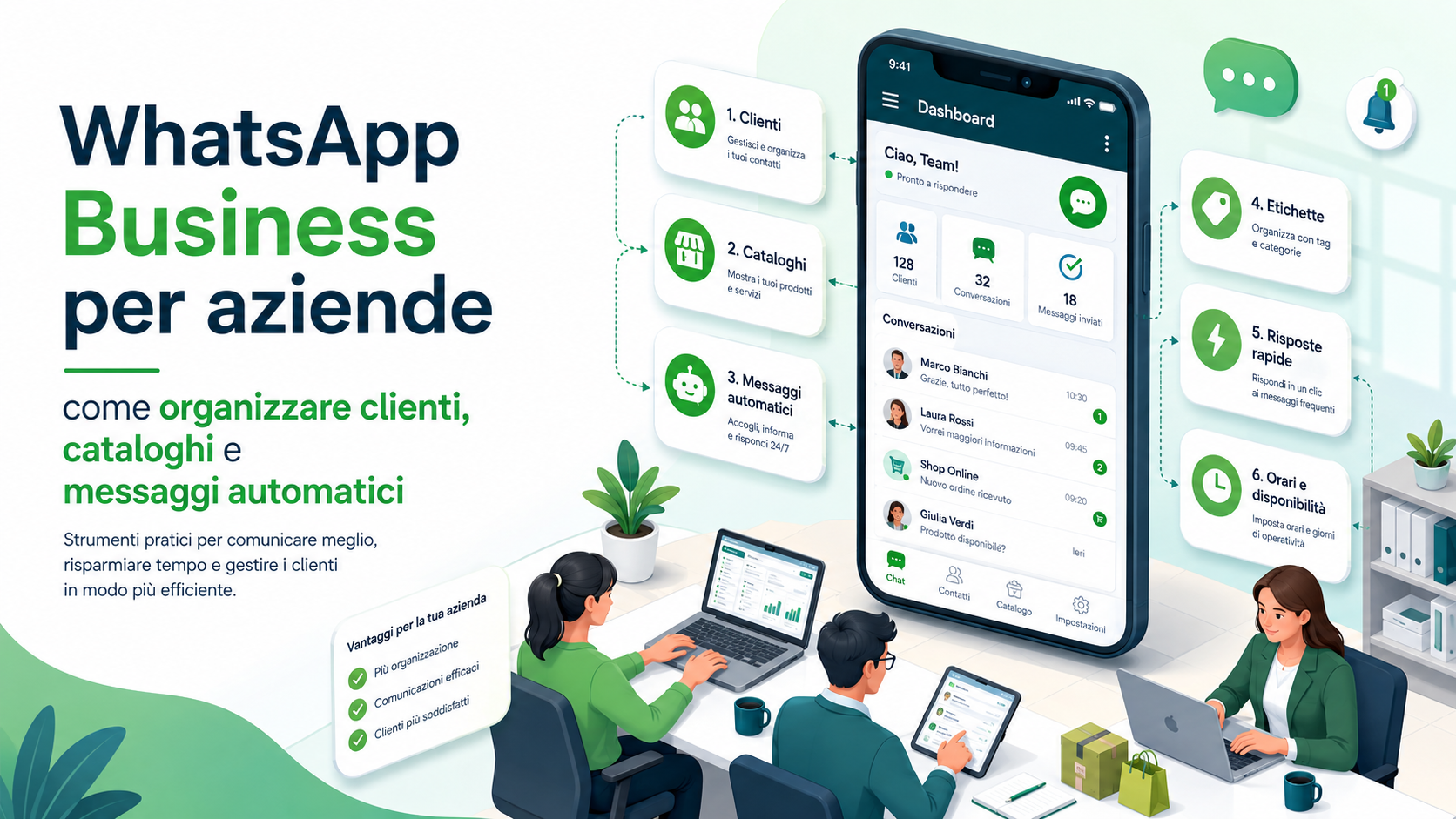
WhatsApp Business can become a valuable tool for managing sales enquiries, customer support, appointments, orders and business communications. The familiarity of the application makes contact simple and immediate, but using WhatsApp professionally requires more organisation than an ordinary personal conversation.
As the number of messages increases, chats can accumulate quickly. New contacts, quotation requests, customers waiting for a reply, orders requiring confirmation and appointments to remember may all remain in the same list without a clear priority. This can lead to missed conversations, duplicate replies and information that is difficult to retrieve.
WhatsApp Business provides tools for organising contacts, presenting products and services, preparing recurring responses and communicating automatically when the company is unavailable. To produce a real benefit, these features must form part of a defined process with clear responsibilities, updated messages and appropriate data protection.
What WhatsApp Business is
WhatsApp Business is a version of WhatsApp designed for professional activities. It retains the conversation-based experience while adding tools that help companies present their business, organise chats and manage enquiries more efficiently.
A business profile can display information such as the company description, opening hours, address, email, website and category. The catalogue presents products and services, while labels, quick replies and automated messages help organise everyday work.
The application may be suitable for shops, professional practices, local businesses, consultants and small companies with a manageable number of conversations. When the number of agents, locations, integrations and automated processes increases, WhatsApp Business Platform or a solution connected to a CRM may be more appropriate.
WhatsApp Business App and WhatsApp Business Platform
Before organising the channel, it is important to distinguish between the WhatsApp Business application and WhatsApp Business Platform. They address different requirements.
WhatsApp Business App is mainly suitable for small organisations that manage conversations directly from a smartphone and authorised linked devices. It provides a business profile, catalogue, labels, quick replies and basic automated messages.
WhatsApp Business Platform is designed for greater volumes, multiple agents, software integrations, chatbots, notifications and automated workflows. It can be connected to CRM platforms, e-commerce systems, ticketing tools and applications developed for specific requirements.
The choice should reflect the number of conversations, agents involved and required level of automation. A complex platform may be unnecessary for a small number of enquiries, while a single application may become difficult to manage when several teams need to respond.
Separate business and personal communications
A dedicated business number is preferable for professional management. Mixing personal and business conversations on the same account makes it difficult to distinguish customers, friends, employees and suppliers.
A dedicated number allows the company to define specific service hours, responsibilities and procedures. It also makes it easier to transfer management to another employee and reduces the risk of conversations remaining tied to someone’s personal phone.
The company should establish:
- Who is responsible for the number and account.
- Which employees may use linked devices.
- During which hours enquiries are managed.
- Which types of communication may be sent.
- How necessary information is stored.
- What happens when an employee changes role or leaves.
Access to the telephone or password should not be the only factor determining who is allowed to represent the company.
Configure the business profile correctly
The business profile is one of the first elements customers see. Incomplete information, outdated opening hours and incorrect links can reduce trust and generate avoidable questions.
The company should review:
- The official or trading name.
- A recognisable logo or profile image.
- A concise description of the services offered.
- The correct business category.
- Opening and support hours.
- The business address where relevant.
- The official email address and website.
- Links to bookings, e-commerce or customer support.
The description should explain immediately what the company does and which enquiries can be handled through WhatsApp. It is better to avoid lengthy text or promises the service cannot maintain, such as continuous support when employees respond only during specific hours.
Organise customers with labels
Labels make conversations easier to classify and retrieve. They can represent a customer’s status, the type of enquiry or the action that must be completed.
A simple structure may include:
- New contact: a person messaging the company for the first time.
- To be qualified: an enquiry requiring additional information.
- Quotation to prepare: a contact waiting for a proposal.
- Quotation sent: a proposal already provided to the customer.
- Follow-up required: a conversation requiring another action.
- Order in progress: an order or activity that has not been completed.
- Payment pending: a case requiring an administrative check.
- Customer: a contact who has already purchased.
- Support: a post-sale assistance request.
- Closed: a completed activity with no pending actions.
Labels should be understandable to everyone managing the channel. Creating too many may make the system more complicated than the ordinary chat list. It is better to begin with a limited set and add new categories only when genuinely necessary.
Create a conversation-management workflow
Labels are most effective when they represent a process. Each new enquiry should enter a defined workflow rather than remaining in the general chat list until someone remembers to respond.
A possible workflow is:
- The customer sends the first message.
- The conversation receives the “New contact” label.
- The agent collects the essential information.
- The chat is classified as sales, support, administration or booking.
- A label representing the next required action is applied.
- The status is updated after a quotation is sent or the problem is resolved.
- The conversation is closed only when no activities remain outstanding.
The company should also define expected response times. Urgent, commercial and administrative enquiries may have different priorities. An organised system makes it easier to identify conversations that have remained inactive for too long.
Do not turn WhatsApp into an improvised CRM
WhatsApp can support customer conversations, but it should not become the company’s only customer database when structured information, purchase history, contracts, permissions and deadlines need to be managed.
Essential information should be transferred to the CRM, business-management platform or another approved system. It should not remain available only inside a chat or on one employee’s device.
WhatsApp can manage communication while the CRM maintains the organised commercial record. This distinction reduces duplication and allows another employee to understand the relationship when responsibility for the customer changes.
Create a catalogue of products and services
The catalogue presents products and services directly within WhatsApp. Customers can review images, descriptions, prices and links without requesting every detail through a message.
A catalogue may be used to:
- Present the main products offered by a shop.
- Show consulting or support packages.
- Describe courses, treatments or bookable services.
- Present offers available for a limited period.
- Direct customers to the website or online shop.
- Reduce the repeated transmission of photographs and descriptions.
The catalogue does not have to contain every available item. It may be more effective to present the main solutions and use the website or e-commerce platform for the complete range.
How to create clear catalogue items
Each catalogue item should help the customer understand the offer immediately. Poor images, generic descriptions and outdated prices may generate more questions instead of reducing them.
An effective item may include:
- A clear product or service name.
- A consistent, high-quality image.
- A concise description of the main features.
- A price or an indication that a quotation is required.
- Relevant variants, formats or conditions.
- A link to the complete website page.
- An internal product reference.
- Availability, delivery or booking information.
When the price depends on the configuration, this should be explained clearly rather than displaying an amount that may be interpreted as final. Conditions, availability and images must also be reviewed regularly.
Organise the catalogue into understandable categories
When the catalogue contains many items, they should be grouped according to a structure that reflects customer needs. The company’s internal categories may not always be meaningful to customers.
The catalogue can be organised by:
- Product or service type.
- Target group, such as individuals, professionals or companies.
- Price range.
- The problem that the solution addresses.
- Basic, advanced or customised service levels.
- Available products, new items or offers.
Customers should be able to find an appropriate solution without scrolling through many irrelevant items. Names should remain consistent with the website, quotations and other sales channels.
Share catalogue items during conversations
The catalogue can support sales conversations, but it should not completely replace dialogue. Sending many items without first understanding the enquiry may not be useful.
The agent can ask a few essential questions and then share only relevant items. Questions may concern size, quantity, budget, required date or intended use.
An effective message explains why certain solutions are being suggested and asks the customer which is closest to their needs. The catalogue then becomes a sales-support tool rather than a simple list.
Prepare quick replies for recurring questions
Quick replies allow employees to retrieve prepared text without rewriting it each time. They are particularly useful for opening hours, directions, required documents, payment methods, delivery times and standard procedures.
Examples may include:
- An initial introduction.
- A request for the information required to prepare a quotation.
- Directions to the business premises.
- Accepted payment methods.
- Confirmation that a document has been received.
- An explanation of the support procedure.
- A booking link.
- Expected response times.
- A request for a review after the service.
Quick replies should be treated as customisable templates. Names, products, dates, amounts and the context must be checked before the message is sent.
Write natural and professional quick replies
A quick reply should not appear to be an impersonal automated message. It may follow a fixed structure while still allowing personalisation.
It is advisable to:
- Use short and understandable sentences.
- State the next action clearly.
- Avoid excessive abbreviations.
- Avoid an overly informal tone with unfamiliar customers.
- Review links and information regularly.
- Exclude confidential information from templates.
- Create separate replies for sales, support and administration.
The customer should immediately understand what to do, what information will be provided and when a response can be expected.
Configure the greeting message
The greeting message welcomes people contacting the company. It can briefly introduce the organisation, explain which enquiries are handled and identify the information required to begin.
An effective greeting may include:
- The company name.
- A brief thank-you message.
- The services available through WhatsApp.
- The hours during which employees respond.
- Information to provide, such as an order number.
- An alternative channel for urgent or specific requests.
The message should not be excessively long. Its purpose is to guide the customer rather than replace the complete conversation. It should not promise an immediate response when actual waiting times are longer.
Configure the away message
The away message informs customers when the company is unavailable. It can be scheduled according to closing hours, holidays or specific periods.
It should explain:
- That the message has been received.
- That employees are currently unavailable.
- When the service will resume.
- Which information should be provided.
- Which channel should be used for a genuine emergency.
An away message should not suggest that the enquiry has already been reviewed. Automated acknowledgement and human handling should remain clearly distinct.
Automated messages and advanced workflows
The automated features in the application are suitable for straightforward requirements. When the company wants to send order confirmations, reminders, delivery updates, payment notifications or messages connected to management-system events, WhatsApp Business Platform may be required.
An integrated platform may allow the company to:
- Send confirmations after orders and bookings.
- Communicate delivery updates.
- Send appointment and deadline reminders.
- Create support tickets.
- Connect conversations to customer records in the CRM.
- Distribute enquiries among several agents.
- Use chatbots for straightforward questions.
- Record outcomes and response times.
Automated messages should be triggered by real and verified events. A payment reminder must not reach the wrong customer, and a delivery confirmation should not be sent before the transaction has been recorded correctly.
Do not confuse customer support with marketing
A customer who uses WhatsApp to request information does not automatically expect to receive continuous promotions. Commercial communications should be relevant, transparent and anticipated by the recipient.
The company should explain:
- Which types of messages will be sent.
- The approximate frequency.
- Which business will send them.
- How the recipient can stop them easily.
- How contact information is managed.
Requests to stop communications must be respected promptly. Unwanted messages may lead to blocks, reports and loss of trust, as well as potential issues under platform rules and applicable law.
Use lists and bulk communications carefully
Collective communications can be useful for updates, availability, deadlines and operational information. They should not become a method for sending the same promotion indiscriminately to every contact.
Recipients should be segmented according to their interests and relationship with the company. A customer who purchased a specific service may receive relevant updates but should not automatically be included in every promotion.
Before sending, review:
- The origin and accuracy of the recipient list.
- Why each person will receive the message.
- The relevance of the content.
- The frequency of previous communications.
- Requests to stop receiving messages.
- The ability to reply or contact an employee.
Manage WhatsApp from several devices and workstations
Linked devices make it easier to manage conversations from computers and other authorised workstations. The company must review which devices have access to the account.
Every workstation should be:
- Assigned to an identifiable person.
- Protected by device authentication.
- Updated and managed by the company.
- Locked when the employee leaves the desk.
- Disconnected when it is no longer required.
When several employees respond, two agents should not handle the same customer without coordination. Greater volumes may require a platform with conversation assignment, internal notes and agent tracking.
Protect the WhatsApp Business account
The account contains conversations, contact details and commercial information. It should be protected like any other business system.
Important measures include:
- Enabling the available two-step verification.
- Protecting the telephone and SIM card.
- Reviewing linked devices periodically.
- Using automatic locking on phones and computers.
- Updating the application and operating system.
- Protecting verification codes received by SMS or telephone.
- Never disclosing codes or credentials to third parties.
- Preparing a procedure for a lost, stolen or replaced phone.
A genuine technician should not ask for the WhatsApp registration code. Sharing it may allow another person to register the account on a different device.
Protect customer data
Customers may send documents, addresses, photographs, order information and other personal details. The company should request only what is necessary to handle the enquiry.
The chat should not be used to collect:
- Passwords and one-time codes.
- Full payment-card numbers.
- Documents unrelated to the enquiry.
- Highly sensitive information without an appropriate procedure.
- Credentials for the customer’s systems.
Payments, document uploads and confidential changes should use a protected area. Conversations should not be exported or copied to personal devices without authorisation.
Define realistic response times
WhatsApp is perceived as an immediate channel. When expectations are not managed, customers may consider even a reasonable response time excessive.
The company should communicate:
- The actual service hours.
- The approximate first-response time.
- The difference between sales enquiries and urgent support.
- Scheduled closing periods.
- Alternative channels for formal cases and emergencies.
The goal is not to reply within seconds to every message, but to prevent enquiries from being forgotten and ensure that customers know when assistance will be available.
Measure the effectiveness of the channel
To understand whether WhatsApp Business is improving customer relationships, the company should review actual outcomes rather than only the number of messages.
Useful indicators include:
- Average first-response time.
- Number of unanswered conversations.
- Enquiries converted into quotations.
- Quotations converted into customers.
- Problems resolved through the channel.
- Time saved through quick replies.
- Use of catalogue items.
- Recurring questions suitable for automation.
- Requests to stop receiving messages.
- Customer satisfaction after support.
If message volumes increase while response quality declines, the company may need to reorganise agents, hours and procedures or adopt a more structured platform.
When to move to a CRM and WhatsApp Business Platform
The application may become insufficient when conversations grow and must be handled by several departments. Warning signs include:
- Several agents respond without knowing who owns the conversation.
- Information must be copied manually into the management system.
- Enquiries remain without an assigned owner.
- Automated notifications are needed for orders and appointments.
- The complete customer history must be available.
- Reports are required on agents, times and outcomes.
- The company manages several locations, departments or brands.
- Chatbots and ticketing integrations are required.
The transition should be planned by reviewing providers, costs, data management, export options and integrations. Not every product claiming to connect to WhatsApp uses official methods or provides the same safeguards.
Common mistakes to avoid
A common mistake is treating WhatsApp Business as an additional telephone number without defining procedures and responsibilities.
Mistakes to avoid include:
- Using the same account for personal and business conversations.
- Failing to update opening hours, profile information and catalogue items.
- Creating too many labels without a shared process.
- Leaving conversations without a status or owner.
- Sending quick replies without personalising them.
- Promising unrealistic response times.
- Sending promotions indiscriminately to every contact.
- Ignoring requests to stop communications.
- Leaving former employees’ devices connected.
- Requesting confidential information in the chat.
- Keeping all customer information only in conversations.
- Continuing with the application when a CRM is required.
WhatsApp Business is effective when it simplifies communication without reducing control over activities, information and customer relationships.
The role of Azienda Digitale
In this context, Azienda Digitale can support SMEs, professionals and organisations in configuring and organising WhatsApp Business. The work can begin with an analysis of incoming enquiries, response times, products and services, and the people involved in managing the channel.
Support may include profile configuration, label design, catalogue creation, quick-reply preparation, automated-message setup, device protection and assessment of integrations with CRM and business-management systems.
Organising customers, catalogues and automated messages correctly transforms WhatsApp from a simple chat channel into a controlled business tool. The objective is not to automate every conversation, but to simplify contact, reduce repetitive activities and ensure that each enquiry receives appropriate attention.
Frequently Asked Questions
Is WhatsApp Business suitable for a small company?
Yes. It can help local businesses, professionals and SMEs manage enquiries, quotations, appointments and support. A dedicated number and an organised process are important.
How can customers be organised in WhatsApp Business?
Labels can distinguish new contacts, quotations, orders, existing customers and support requests. Categories should be limited, understandable and connected to a required action.
Can the catalogue also contain services?
Yes. It can present consulting services, support packages, courses, bookings and other services, including descriptions, prices or an indication that a quotation is required.
What is the difference between a quick reply and an automated message?
A quick reply is a template selected and sent by an employee. An automated message, such as a greeting or away message, is sent by the system according to configured conditions.
Can promotions be sent to every contact?
Messages should be sent to people who expect that type of communication. They should be relevant, transparent and easy to stop when the recipient requests it.
When should a company use WhatsApp Business Platform?
It should be considered when multiple agents, CRM integration, automated notifications, chatbots, conversation assignment and higher message volumes are required.
Would you like to organise WhatsApp Business professionally and reduce the time spent on recurring enquiries?
Azienda Digitale
can help you configure customers, catalogues, quick replies and automations suited to your organisation’s actual requirements.